HumanSoft โปรแกรม HR

General Setting

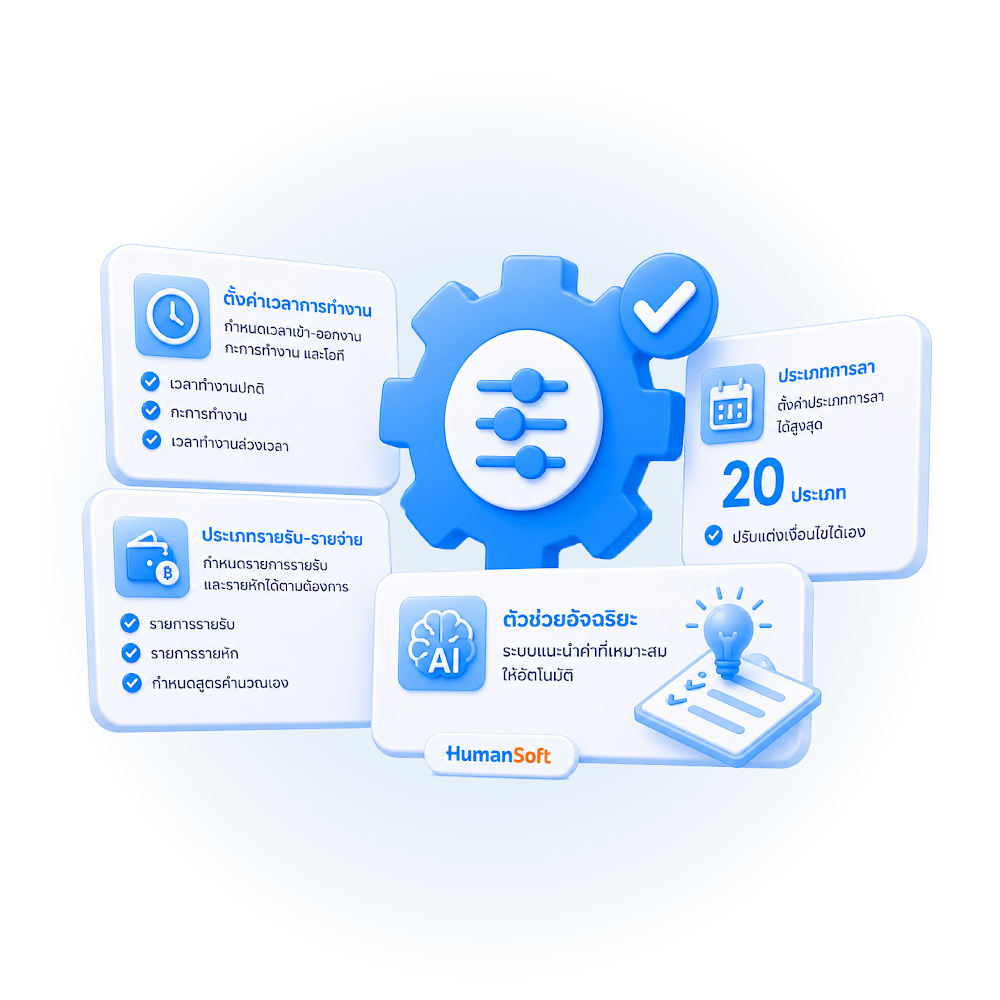
It is for the entire organization. They are as follows:

  1. Salary calculation principles setting
  2. Work hours logging setting
  3. Social security setting
  4. Notification setting
  5. Form templates setting
  6. Others
โปรแกรม HR HumanSoft การตั้งค่าทั่วไปของทั้งองค์กร - General Setting

Working Time Setting

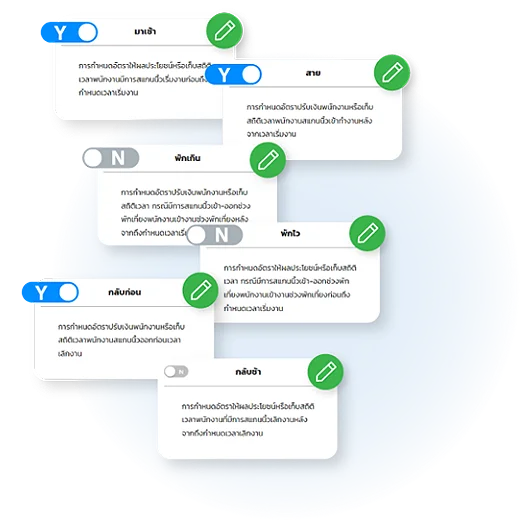
Configure your work rules effortlessly. Just click to customize settings that fit your business:

  • Attendance Tracking: Handle late arrivals and early starts.
  • Break Monitoring: Manage break time violations.
  • Exit Control: Track early departures or late stays.
  • OT Management: Define precise overtime calculations.

Ensure precision and policy compliance with a flexible system designed to adapt to your organization.
โปรแกรม HR HumanSoft ตั้งค่าเวลาการทำงาน - Working Time Setting

20 Types of Leave Setting

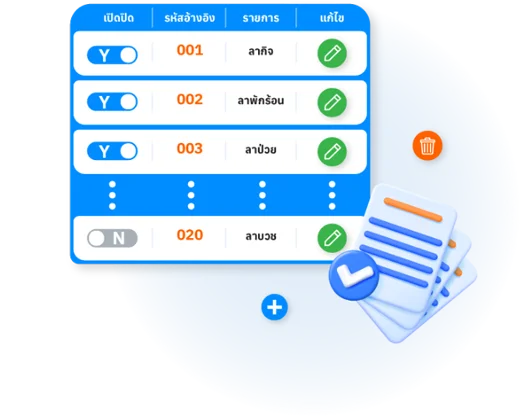
The Leave Settings menu allows organizations to define up to 20 custom leave types and conditions for employees.
โปรแกรม HR HumanSoft ตั้งค่าประเภทการลา 20 ประเภท - 20 Types of Leave Setting

Income-Expense Setting

Setting up income and expense items to be used based on predefined conditions, with customizable settings for each type:
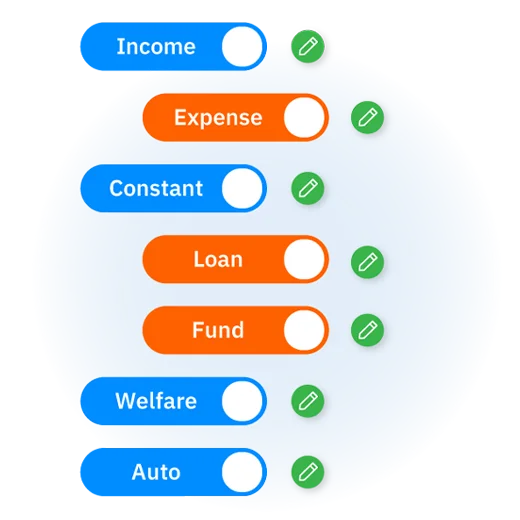
  • Income: Sets monthly income for employees that is not a fixed regular income — received some months but not others.
  • Expense: Sets employee deductions that are not fixed — deducted some months but not others.
  • Constant: Sets employee deductions or income that are received or deducted at the same fixed amount every month.
  • Loan: Sets employee deductions divided into installments with a definite start and end period, with or without interest.
  • Fund: Sets employee deductions withheld and accumulated in various funds — may be company-only deductions or include company contributions.
  • Welfare: Sets annual welfare income for employees that is not a fixed regular income — received some months but not others.
  • Auto: Sets income or deductions that have individual-specific calculation criteria.
โปรแกรม HR HumanSoft ตั้งค่าประเภทรายรับ-รายจ่าย - Income-Expense Setting

Income-Expense type group Setting

Menu for Add/Edit income and expense types, such as social security settings. It is an expense type.
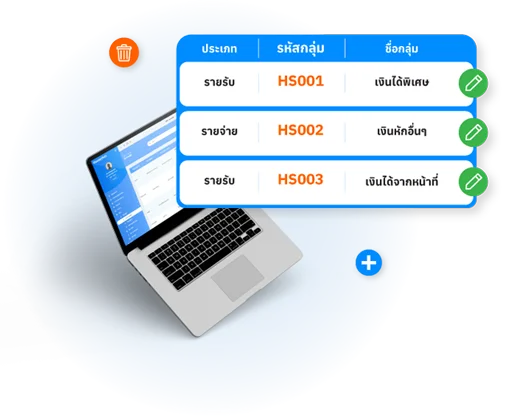
โปรแกรม HR HumanSoft ตั้งค่ากลุ่มประเภทรายรับ-รายจ่าย - Income-Expense type group Setting

Intelligent Assistant Conditions Setting

It is an advice setting menu which advice to notify through the application in the case that employees record working hours incorrectly. And also reduce the workload of HR
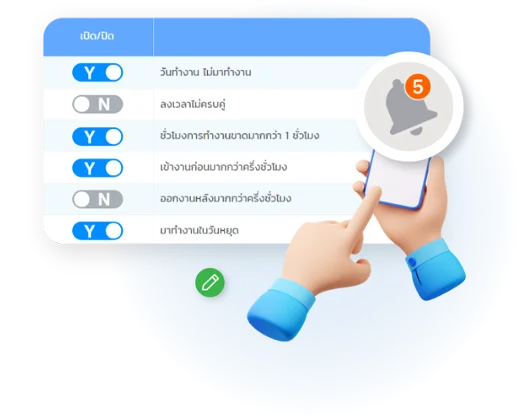

  • Absence on work day
  • Incomplete time entry
  • Working hours missed by more than 1 hour
  • Arrive at work more than half an hour early
  • Leaving work more than half an hour later
  • Come to work on a holiday
โปรแกรม HR HumanSoft ตั้งค่าเงื่อนไขตัวช่วยอัจฉริยะ - Intelligent Assistant Conditions Setting

Frequently Asked Questions (FAQ)

You can configure up to 20 leave types, freely adjusting the conditions for each type to match your company policy.
Yes. The system lets you configure your own income/expense types and groups as needed.
It's an automated condition that detects anomalies or recommends suitable settings, reducing the need for HR to check each item manually.
HumanSoft team ready to helpHumanSoft Payroll & HR SolutionFree 30-day trial, all HR functions
  • Free setup service.
  • No expenses at all.
  • Dismiss at any time.
Try it free
LINEChat with usContact Us30 วันTry for
FREE