
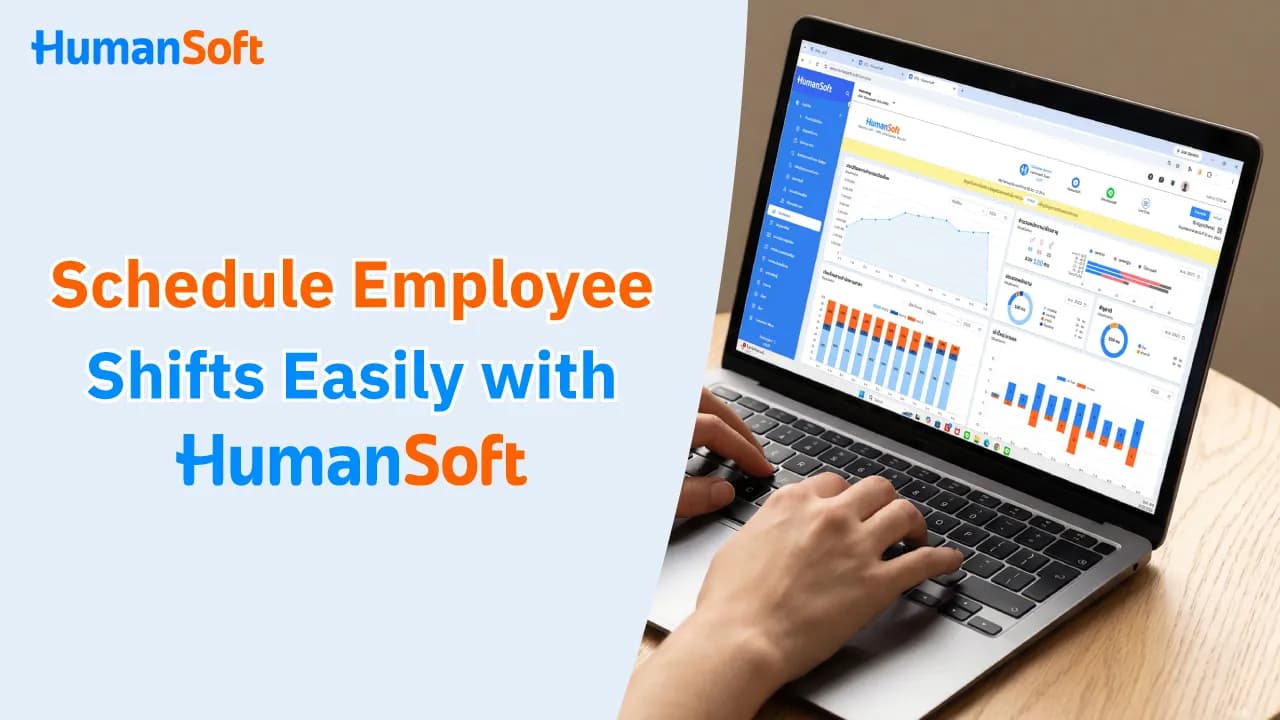
Simplify Shift Scheduling with HumanSoft HR Software
Shift scheduling software allows HR to manage shifts, assign schedules, and handle complex shift patterns in one system. Employees can review their schedules or request a shift change independently.
Table of Contents:
- Simplify Shift Scheduling with HumanSoft HR Software
- What Is Shift Work?
- How Does HumanSoft HR Software Solve Shift Scheduling Challenges?
- How to Use the Shift Scheduling System in HumanSoft HR Software
- Summary: Shift Scheduling with HumanSoft HR Software
- FAQ: Frequently Asked Questions About Shift Scheduling
What Is Shift Work?
Shift work divides working hours into defined periods and rotates employees according to a schedule so the organization can operate during the required hours. It is common in businesses with extended operating hours or continuous services, such as hospitals, factories, convenience stores, hotels, and service businesses. Shifts may include morning, afternoon, night, or overnight shifts, depending on the organization’s operations.
Shift work follows different hours from a standard work schedule. Each organization can structure shifts to suit its operations, such as two 12-hour shifts or three 8-hour shifts per day. HumanSoft HR software supports multiple shift patterns, helping HR plan schedules and manage employee shifts more easily.
How Does HumanSoft HR Software Solve Shift Scheduling Challenges?
Managing shifts across multiple files may result in duplicate shifts, staffing gaps, or the use of schedules from the wrong period. Shift scheduling software brings shift creation, employee assignment, and schedule review together in one system.
| Common HR Challenge | Impact on Operations | How Shift Scheduling Software Helps |
|---|---|---|
| Shift schedules are spread across multiple files | HR and supervisors use different versions of the schedule | Keeps shift schedules in one system and updates data from one place |
| Employees work across midnight | Clock-in and clock-out times are recorded on different dates | Configures overnight shifts so the system pairs times according to the defined conditions |
| Employees work more than one shift per day | Schedules overlap or working hours are calculated incorrectly | Allows split shifts and separate time periods to be configured for each shift |
| Different shifts have different compensation rates | HR must calculate additional pay manually | Predefines the value or compensation rate for each shift |
| A shift changes unexpectedly | Schedules held by HR, supervisors, and employees do not match | Records and reviews shift changes in one system |
| Employees are unaware of the latest schedule | Employees may report to work on the wrong day or at the wrong time | Allows employees to review their own schedules through the application |
*Information as of September 2026
How to Use the Shift Scheduling System in HumanSoft HR Software
Follow these steps to schedule shifts easily with HumanSoft HR software:
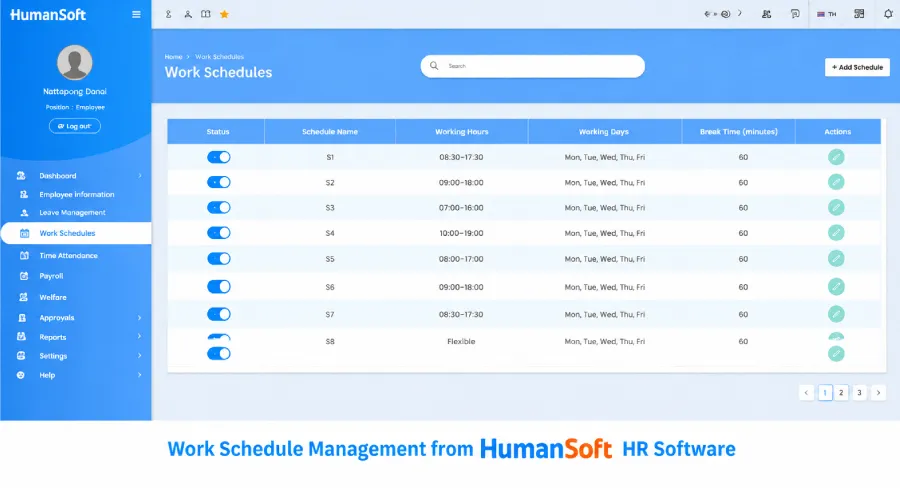
1. Shift Information Menu
Start from the “Attendance and Shift Information” menu in HumanSoft HR software. This page displays all shift settings. HR can enable or disable shifts and view shift codes, working hours, shift time periods, and shift values. A wide range of settings can be added to support different shift patterns. Once configured, HR can quickly assign the appropriate shift code to each employee.
2. Add a Work Shift
To add a work shift in HumanSoft HR software, select the “Add Work Shift” button. You can configure the shift code, daily working hours, break type, start time, break start time, break duration, and end time. The system supports the following shift types:
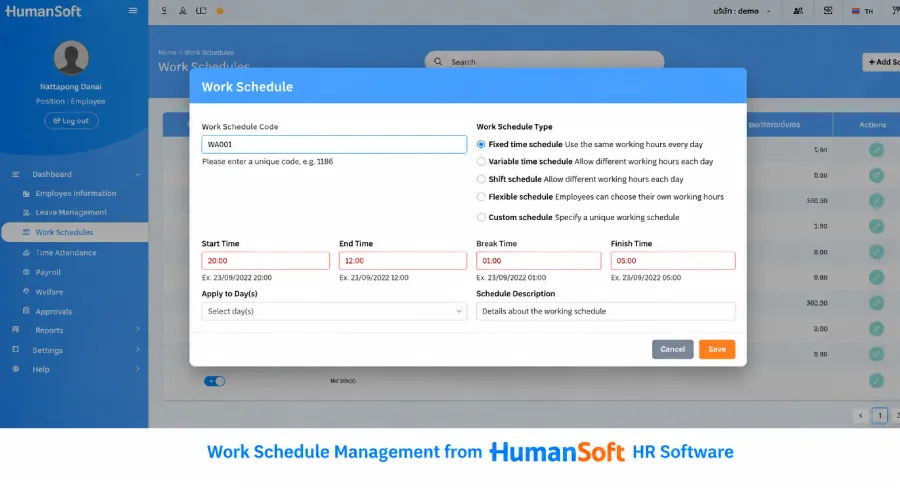
Work Shift Types
• Set clock-in and clock-out times on the same day: Employees start and finish work at the specified times on the same day, such as 8:00 a.m.–5:00 p.m.
• Set clock-in and clock-out times across midnight into the next day: Employees work across midnight, such as starting at 8:00 p.m. today and finishing at 5:00 a.m. tomorrow.
• Set clock-in and clock-out times across midnight from the previous day: Employees work across midnight from the previous day, such as starting at 8:00 p.m. yesterday and finishing at 9:00 a.m. today. The employee’s 8:00 p.m. clock-in from yesterday is included in today’s record.
• Set total working hours : Employees may start and finish at any time, provided they complete the required daily hours, such as 9 hours.
• Configure split shifts : Employees can work more than one shift in a workday, such as 5:00 a.m.–2:00 p.m., followed by another shift from 3:00 p.m.–midnight.
Shift Value Types (for Daily-paid Employees)
• Calculate based on wages : The employee receives the daily wage specified in their employee record.
• Set a value for this work shift : Set a fixed value in baht without referring to the wage information in the employee record.
• Add a supplementary amount for this work shift : Add an amount to the regular wage, such as a daily wage of THB 300 plus THB 50, for a total of THB 350.
• Apply a wage multiplier for this work shift: Set a multiplier such as 1.5x or 2x the wage.
Some organizations have not only varied shift schedules but also different compensation or wage rates. The flexible shift settings in HumanSoft HR software can therefore support the practical needs of HR teams across different organizations.
Tips! Learn more at >> How to Create a Work Shift
3. Assign Work Shifts to Employees
After adding work shift settings in HumanSoft HR software, HR can assign shifts to employees for use with the automatic working-time calculation system. Configure these settings from the “Employee Information” and “Work Shift Settings” pages.
4. Employees Can Review Their Own Work Shifts
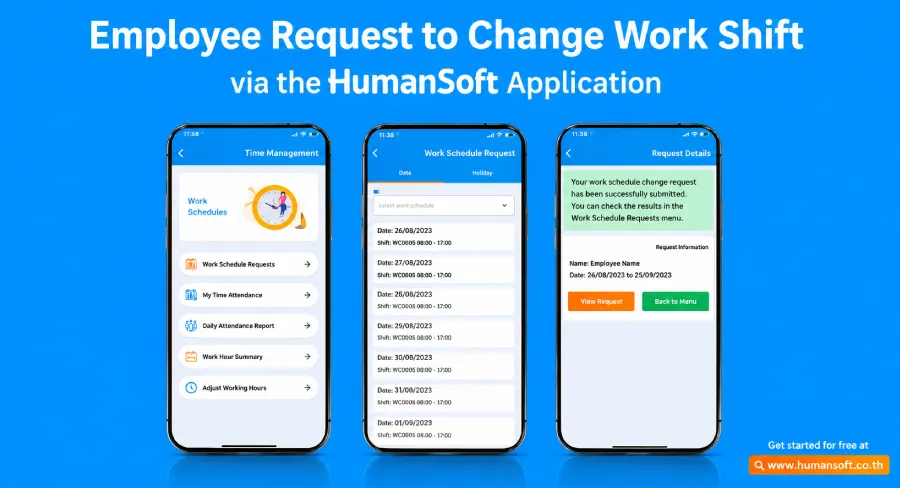
HumanSoft HR software also allows employees to review their shift times and submit shift-change requests in real time through the HumanSoft application.
Summary: Shift Scheduling with HumanSoft HR Software
The shift scheduling process described above shows how HumanSoft HR software makes complex and time-consuming shift management easier while offering comprehensive, flexible functionality. Therefore, HumanSoft is well suited to the shift scheduling needs of organizations of all types.
FAQ: Frequently Asked Questions About Shift Scheduling
Q: Should Companies Prepare Shift Schedules in Advance?
A: Yes. Prepare schedules in advance so employees have time to plan, and set a clear schedule announcement date for each period. Notify everyone affected immediately if changes occur.
Q: How Should a Shift Be Managed When an Employee Takes Unexpected Sick Leave?
A: The supervisor should identify an employee who can cover the shift and update the schedule to match who actually works. This prevents discrepancies in attendance and compensation data.
Q: Is Shift Work the Same as Overtime?
A: No. A shift is a scheduled work period, while overtime is work performed outside or beyond regular working hours under the applicable conditions. Shift and overtime data should therefore be recorded separately.
Read More Related Articles



