

Free Online Payslips: Check Your Salary at Your Fingertips
An online payslip (e-Payslip) is an electronic payslip issued by an organisation each payroll period. Employees can instantly view their earnings, deductions and net pay through an app, web browser or LINE, without waiting for HR to distribute paper payslips. Employees can view their payslips free of charge, while organisations generate them through payroll software. This saves HR time and reduces the risk of salary information being seen by others.
Tips! Learn more about the importance of payslips at >> What Is a Payslip?
Table of Contents:
- Free Online Payslips: Check Your Salary at Your Fingertips
- What Is an Online Payslip?
- What Information Should a Payslip Include?
- What Types of Online Payslips Are Available?
- How to Check Online Payslips for Free with HumanSoft
- How Can Employees View Their Own Payslips?
- Summary: Benefits of Free Online Payslip Access
- FAQ: Frequently Asked Questions About Free Online Payslips
What Is an Online Payslip?
An online payslip is an electronic document showing an employee’s earnings and deductions for each payroll period. It allows employees to check their salary and serves as the company’s payment record.
What Information Should a Payslip Include?
A payslip should show three key components for the payroll period: earnings, deductions and net pay.
| Section | Details |
|---|---|
| Employee and payroll period details | Full name, employee ID, department, payroll period and payment date |
| Earnings | Salary, overtime pay (OT), attendance allowance and other earnings |
| Deductions | Deductions for absence, leave and lateness; withholding tax; social security contributions; provident fund contributions; and other deductions |
| Net pay | The net salary actually received by the employee |
View sample payslip layouts at
What Types of Online Payslips Are Available?
There are two main types: payslips created and emailed by HR, and payslips generated automatically by payroll software.
Type 1: Payslips Created and Emailed by HR
HR creates payslips detailing earnings, deductions such as tax, social security and provident fund contributions, and net pay, then emails each employee individually. This approach takes time and carries a risk of sending a payslip to the wrong person.
Type 2: Payslips Generated Automatically by Payroll Software
The software calculates each employee’s pay and generates a payslip automatically. Employees can view it immediately through the app. HR does not need to send it separately, reducing complex administrative work.
Read more:
How to Check Online Payslips for Free with HumanSoft
In HumanSoft, payroll staff can check payslips through a web browser in two ways: individually or for the entire organisation. The payroll period must be closed before checking payslips for the entire organisation.
Method 1: Check Individual Payslips
- Log in to HumanSoft and go to "Payroll Processing".
- Select Payroll Calculation > Calculate Payroll.
- Select the employee > Payroll Calculation Summary > "Payslip".
Method 2: Check Payslips for the Entire Organisation
- Go to "Payroll Processing".
- Select Payroll Calculation > Calculate Payroll > Close Payroll Period.
- Select "Payslip".
Note: You must close the payroll period before checking payslips for the entire organisation.
Whichever method is used, HR should verify that the calculations are correct and the payslips display all required information before making them available to employees online.
How Can Employees View Their Own Payslips?
Employees can view their payslips through three channels: the HumanSoft app, a web browser and LINE OA.
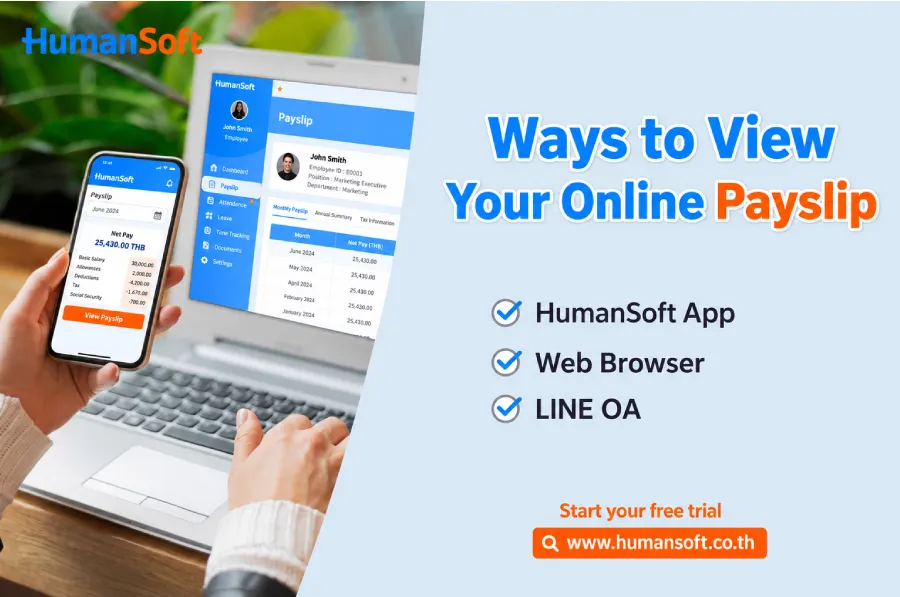
Employees can check their own payslips through three online channels: the HumanSoft app, a web browser and LINE OA.
- HumanSoft App Open the HumanSoft app, tap the three-line menu icon, then select “Salary”. > Salary Summary > Select Payslip
- Web Browser Log in to HumanSoft and select “Your Information”. Select Payroll Calculation Information > Calculation Summary > Select Payslip
- LINE OA Log in through LINE OA, select “Payroll Processing”, then select the payslip for the month you want to view.
With any of these methods, employees should check that their earnings, such as salary and overtime pay, and deductions, such as those for absence or leave, have been calculated correctly for the month. This helps protect their interests.
Learn more about checking payslips through LINE OA at View Payslips on LINE OA
Summary: Benefits of Free Online Payslip Access
Online payslips give employees quick, easy and secure access to salary information. HR no longer needs to print payslips or send them individually. Besides checking salary details, payslips can support many other transactions.
HumanSoft generates online payslips (ePaySlips) automatically. Employees can view them through the app, web browser or LINE at the end of each month. HR does not need to print and distribute payslips individually, and the risk of salary information being seen by others is reduced. today.
FAQ: Frequently Asked Questions About Free Online Payslips
Q: Are online payslips really free?
A: Employees can view their own payslips for free. Organisations that issue payslips through payroll software pay service fees according to their package.
Q: Can online payslips replace paper payslips?
A: Yes. Electronic documents have legal effect under Thailand’s Electronic Transactions Act, so many organisations have stopped printing paper payslips. However, some transactions may require additional documents, such as a salary certificate.
Q: Can online payslips be used for loan applications or banking transactions?
A: This depends on the bank or financial institution’s requirements. Most accept payslips downloaded from a payroll system, but some may also request a salary certificate or bank statement. Check with the institution before submitting your application.
Q: Are online payslips secure?
A: Employees must log in with their own accounts and can view only their own payslips according to their access permissions. This reduces the risk of others seeing salary information compared with paper envelopes or email. HumanSoft is certified to the ISO/IEC 27001 information security standard.
Q: Can employees view previous payslips?
A: Yes. Employees can access historical records supported by the system and their user permissions, such as payslips from previous payroll periods through the app or LINE OA.
Read More Related Articles:
- Free Online Payslip Software: A New Option for Digital HR
- What Is a Payslip? Uses and Required Information
- What Is Payslip Software and What Role Does It Play in an Organisation?
- Free Payslip Templates in Thai and English



