
Payroll Software for Automatic Social Security and Tax Calculations
Payroll software with automatic Social Security and tax calculations automatically calculates employee Social Security contributions and withholding tax in every payroll cycle, eliminating the need for manual calculations or separate Excel formulas. This reduces calculation errors and saves HR time each month. This article explains how payroll software automates Social Security and tax calculations, its key benefits, and what to look for when choosing a system.
Table of Contents:
- Payroll Software for Automatic Social Security and Tax Calculations
- Why Should Payroll Software Calculate Social Security and Tax Automatically?
- How Does Payroll Software Calculate Social Security Contributions?
- How Does Payroll Software Calculate Withholding Tax?
- Benefits of Automatic Calculation vs. Manual Calculation
- What Should You Check When Choosing Payroll Software for Social Security and Tax?
- Payroll Software FAQs
Why Should Payroll Software Calculate Social Security and Tax Automatically?
Manually calculating Social Security contributions and withholding tax carries a high risk of errors, especially as the number of employees increases or when employees receive additional income such as bonuses and commissions that must be included in annual tax calculations. Using an HRMS that performs these calculations automatically helps HR ensure that the figures submitted to government agencies are accurate and consistent every month.
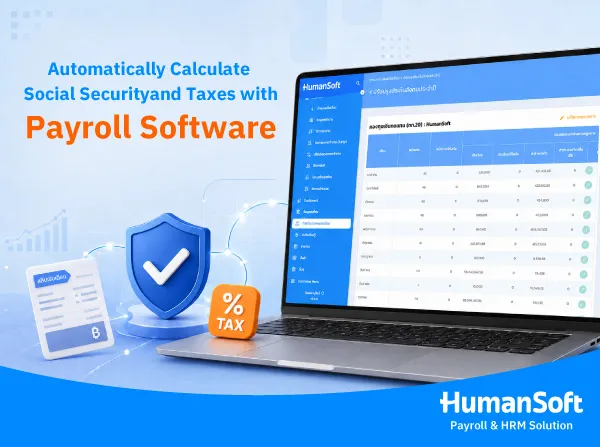
How Does Payroll Software Calculate Social Security Contributions?
Payroll software with automatic Social Security calculations uses each employee’s salary base to calculate both employee and employer contributions according to the legally prescribed rates. It then summarizes the total amount for monthly submission to the Social Security Office, without requiring HR to calculate each employee separately.
-
Automatically calculate contributions based on each employee’s salary base
-
Generate contribution summaries and files for submission to the Social Security Office
-
Update contribution rates according to the latest official announcements without manually adjusting formulas
How Does Payroll Software Calculate Withholding Tax?
The system calculates withholding tax from each employee’s net taxable income by combining salary, bonuses, and other income throughout the year according to Thailand’s progressive tax structure. It can also generate related documents, such as monthly tax filing forms and annual withholding tax certificates for each employee, reducing the HR workload of preparing separate tax documents every month and at year-end. Learn more about required tax documents in our article on payroll software that automatically generates P.N.D.1 and 50 Tawi forms.
Benefits of Automatic Calculation vs. Manual Calculation
|
Aspect |
Manual / Excel |
Automatic Calculation in Payroll Software |
|
Accuracy |
Higher risk of calculation errors as the number of employees increases |
Uses the same centralized database every time, reducing errors |
|
Time Required |
Requires employee-by-employee calculations and takes more time |
Calculates payroll data for the entire organization within minutes |
|
Legal Updates |
HR must monitor changes and update formulas manually |
The provider updates the system according to the latest official announcements |
|
Supporting Documents |
Documents must be prepared separately |
Generate documents ready for submission or distribution to employees immediately |
What Should You Check When Choosing Payroll Software for Social Security and Tax?
-
Automatically updates Social Security and tax rates according to the latest official announcements, without requiring HR to wait for manual formula changes.
-
Generates submission files in formats accepted by government agencies, reducing repeated file conversion steps.
-
Connects with other HR data in the same system, such as attendance, leave, and employee management through an HRMS, so all data used in payroll calculations stays consistent across the system.
-
Provides a support team that can help review figures before official submission, reducing risks when employee data changes unexpectedly.
If you are looking for payroll software that covers Social Security, tax, and other HR processes in one system, view the HumanSoft plans and pricing to choose a package that suits your organization’s size.
Summary: Payroll Software for Automatic Social Security and Tax Calculations
Payroll software with automatic Social Security and tax calculations helps reduce repetitive HR work, lowers the risk of calculation errors, and helps ensure that figures submitted to government agencies follow the latest official requirements. Before choosing a system, check whether it automatically updates calculation rates, generates all required supporting documents, and connects with other HR data in the same platform to keep every payroll cycle smooth and accurate from start to finish.
Payroll Software FAQs
Q: Does payroll software calculate Social Security contributions for both employees and employers?
A: Yes. Payroll software with automatic Social Security calculations can calculate contributions for both employees and employers at the same time and summarize the total amount for monthly submission to the Social Security Office.
Q: If employees receive additional income during the year, can the software calculate tax correctly?
A: A comprehensive system will automatically include additional income, such as bonuses or commissions, in year-to-date tax calculations. However, HR should always verify the accuracy of input data before official submission.
Q: Does payroll software update Social Security and tax rates automatically, or must HR adjust them manually?
A: It depends on the provider. Good payroll software should automatically update rates according to the latest official announcements without requiring HR to adjust calculation formulas manually. It is best to confirm this with the provider before subscribing.
Q: Do small businesses need automatic payroll software, or is Excel enough?
A: Small businesses with only a few employees may use Excel at first. However, as the number of employees grows or income types become more complex, automatic payroll software can reduce risks and save significantly more time.
Q: If we switch payroll software mid-year, will accumulated Social Security and tax data still be calculated correctly?
A: Yes, provided that each employee’s payroll data and year-to-date accumulated figures are imported completely from the previous system. The new software can then continue calculating correctly for the rest of the year.
Related Articles
- Payroll Software for Automatic Tax Calculation, P.N.D.1 and 50 Tawi
- Compare Popular Payroll Software in Thailand
- Switching HR Software from Your Existing System Is Easier Than You Think
- How Many Days Can You Try HumanSoft for Free, and What Can You Do?
- How Can Online HR Software with Built-in KPI Features Help Your Organization?



