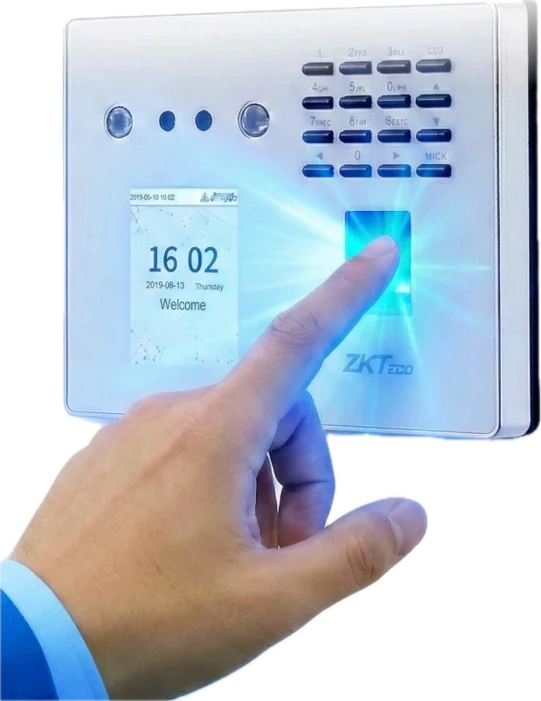
Scan faces and fingerprints
Supports multiple clock-in methods: face scan and fingerprint scan, plus cards (optional) and passwords.
- Face
- Fingerprint
- CardOptional
- Password

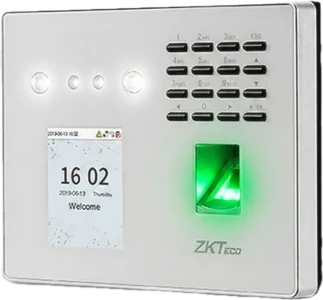
Boost productivity with the HumanSoft fingerprint and face scanner, model ZKTeco MB40-VL. Every clock-in flows straight into HR Cloud.
 Download the scanner brochure (PDF) opens in a new tab
Maximum device capacity
Every clock-in connects to a complete HR Cloud system. Quality hardware hand-picked by HumanSoft to work hand in hand with our HRM software: accurate, fast, and built to prevent time fraud.
Supports multiple clock-in methods: face scan and fingerprint scan, plus cards (optional) and passwords.
Data flows into HumanSoft instantly
The device stores records and uploads them automatically once back online.
Restrict the scanner’s settings menu to HR or system administrators only.
Example access settings for the device settings menu
Employees must verify their identity in person at the device, by fingerprint or face, so you can be sure they are actually on site.
Every spec in full, from the face camera to the door lock connection. Tap a number on the image or an item in the list to view each part.
Not sure which suits your workplace? Find your clock-in method


HumanSoft Notify alerts you to each employee’s clock-in and sums it all up automatically: who arrived when, how many are in today, who is late and who is absent · Names and times are examples
HumanSoft supports scanners, Beacons and the mobile app. Answer a few questions to see which fits your workplace best
Answered 0 / 4
Compare HumanSoft’s 3 clock-in methods: scanner, Beacon and mobile app. Answer 2 or more questions to see a recommendation.
Recommendations are based on each method’s capabilities as specified by HumanSoft, as an initial guide. Our team can assess your actual site: call 1537
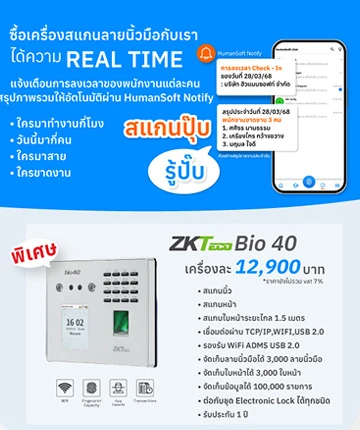
THB 12,900 per unit, excluding 7% VAT. The scanner is billed separately from your HumanSoft software plan.
Data syncs to HumanSoft instantly via Wi-Fi or LAN (TCP/IP), with USB support. Clock-in data goes straight into HR Cloud, so you can check attendance in real time.
Yes. The device stores up to 100,000 records and uploads them automatically once it is back online.
Employees must verify their identity in person at the device by fingerprint or face, and the device blocks spoofing with 3D masks, photos and videos, so you can be sure they are actually on site.
It alerts you to each employee’s clock-in and automatically summarizes who arrived when, how many are in today, who is late and who is absent.
Yes, a 1-year device software warranty, with an expert team supporting usage and the scanner’s connection to HumanSoft.
Finger Scan clock-in is included in every plan, from BASIC, STANDARD and ADVANCED to PROFESSIONAL.
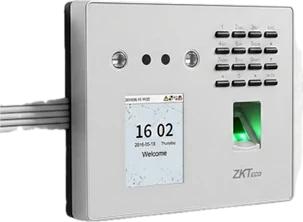 Connections

 LINE