Support every day 8:00 AM–6:30 PM

All-in-one HRMS bringing HR work across the organization into one place

An HRMS (Human Resource Management System) brings all HR work into one place, from employee data, time attendance, payroll, leave requests and document approvals to performance reviews. Data links up automatically, so there is no double entry

  • Serving over800,000employees · A Thai-built HRMS
  • Used by45,000+companies
  • Up to 10 employeesFreeNo credit card required
  • Try every feature30 daysFree setup service

HRMS vs HRIS: what's the difference?

An HRIS focuses on storing and managing employee data, while an HRMS goes further by also covering processes such as payroll, time and performance reviews. Today most providers combine both into a single system.

HRIS vs HRMS comparison
TopicHRISHRMS
FocusStoring and managing employee dataData + all work processes
CoversProfiles, org structure, documentsEverything in HRIS + payroll, time, reviews
Best forOrganizations that need a central databaseOrganizations that want to cut manual work across the board
HumanSoftCoversCovers
Wondering?

What should a good HRMS include?

A good HRMS should cover everything from employee data to performance reviews, across 7 core functions:

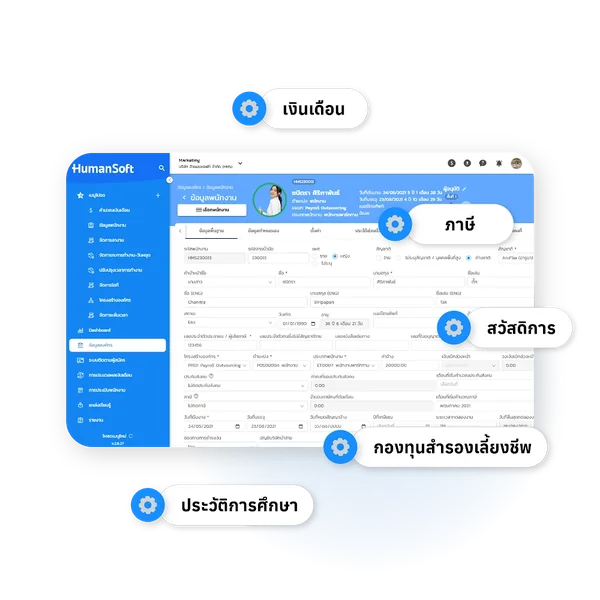
  1. HumanSoft employee data screen with payroll, tax, benefits, provident fund and education history sections

    Organization structure and employee data

    Manage your org structure, positions and employee data in one place. Search and update instantly, with no need for multiple Excel files

    • Org charts up to 10 levels per branch office
    • Employees edit their own details via the app and web
    See the organization structure function
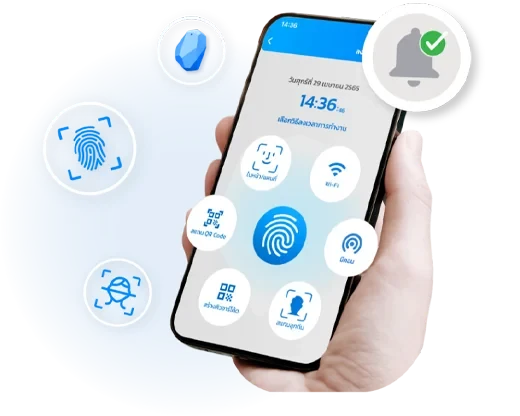
  2. HumanSoft mobile app with clock-in options: fingerprint, face scan, QR Code, GPS and Wi-Fi

    Time attendance in multiple ways (face scan, GPS, QR Code)

    Supports employees both in the office and off-site. Attendance data feeds payroll automatically, with no double entry

    • Face scan, fingerprint, GPS, QR Code, Wi-Fi and beacon
    • Forgot to clock in? Submit a time correction request in the app for your supervisor to approve
    See the time attendance function
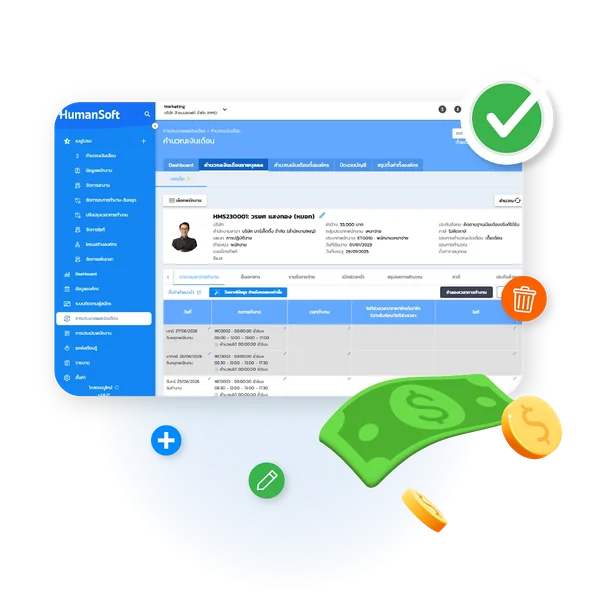
  3. HumanSoft payroll calculation screen with verified results, with banknote and coin illustrations

    Automatic payroll, tax and Social Security

    Calculated according to the latest Personal Income Tax rates and Social Security Act, reducing manual calculation errors

    • Withholding tax (PND 1) and Social Security
    • Online payslips employees can view themselves
    See the payroll function
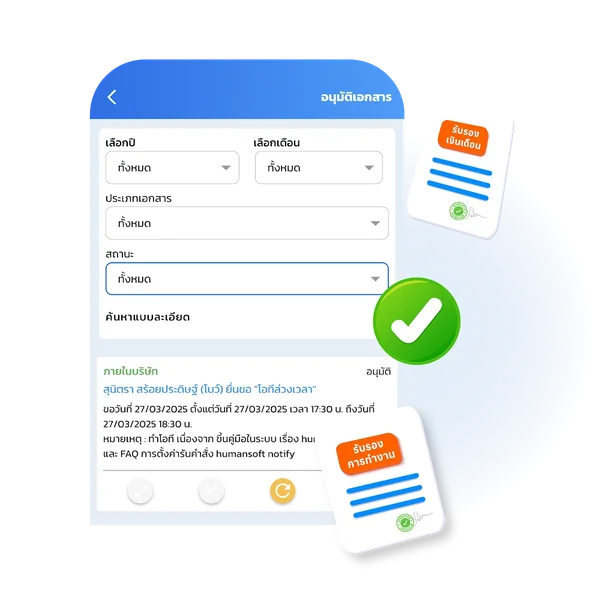
  4. HumanSoft app document approval screen, filtered by year, month, document type and status

    Online leave requests and document approvals

    Employees submit leave and other requests via the app, supervisors approve from their phones, with an auditable approval history

    • Leave, OT, shift change and certificate requests
    • Set up multi-level approvers, up to 5 levels
    See the documents and approvals function
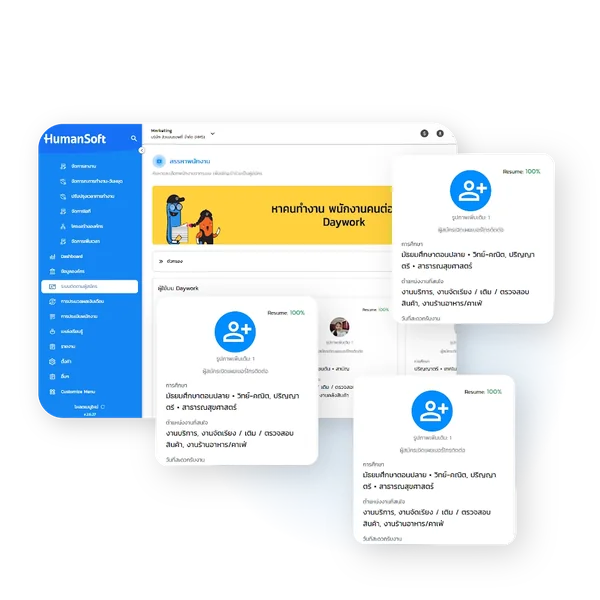
  5. HumanSoft recruitment screen with applicant cards

    Recruitment and Onboarding

    From job postings and candidate screening to new-hire orientation, all in one system

    • Online applications, interview scheduling and tests
    • Once hired, data flows into the HR system with no re-entry
    See the recruitment function
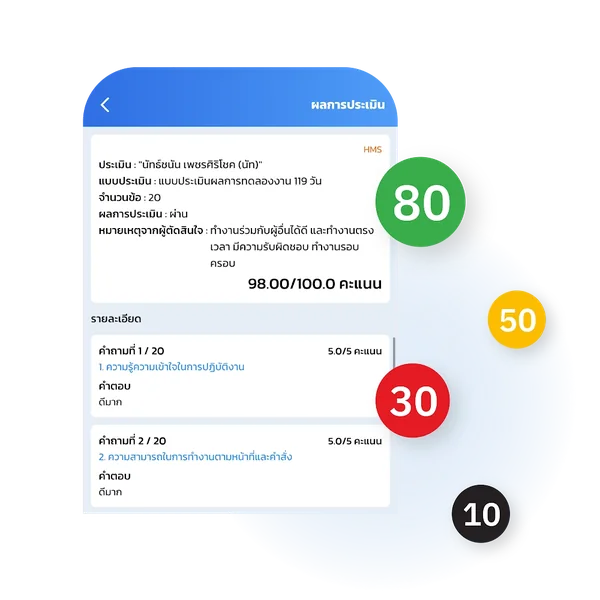
  6. HumanSoft app employee evaluation results screen showing overall and per-topic scores

    Performance reviews and employee development

    Set KPIs, run reviews by cycle and track individual development plans

    • Build your own evaluation forms and review via the app
    • Built-in online training, no extra system to buy
    See the learning and training function
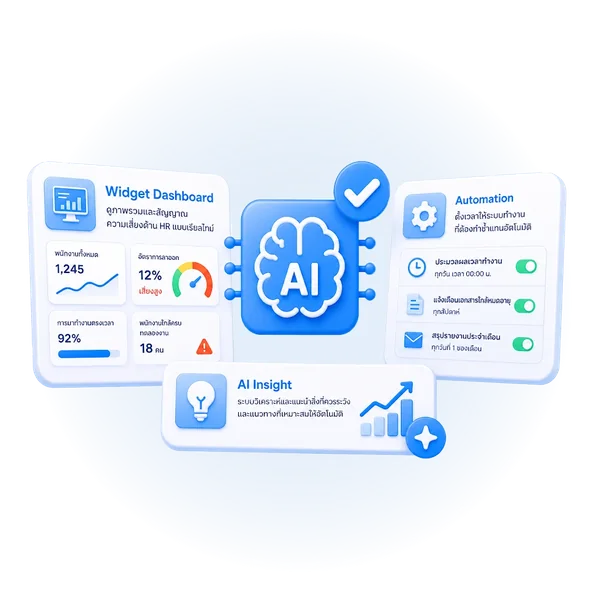
  7. HumanSoft AI Insight illustration: Widget Dashboard, Automation and HR data analytics

    AI analysis and automatic alerts

    Flags attendance errors such as incomplete clock-ins or lateness, so they can be fixed before the pay period closes

    • Resignation risk signals (Resignation Signal)
    • Employee cost by department (Employee Cost Insight)
    See the AI and Insight function
Wondering?

Try all 7 functions in one system30-day free trial with every function · No credit card required

30-day free trial

Which organizations is an HRMS right for?

An HRMS suits any organization that wants to reduce manual HR work, from small teams without a dedicated HR department to large enterprises with heavy paperwork and approvals

Best for SMEs with 10–100 employees

  • ≤ 10 employees

    Startups · Small SMEs

    For startups or small SMEs with no HR software budget yet that want to stop calculating payroll by hand

    Free to use
  • 10–100 employees

    SMEs starting an HR department

    For organizations starting an HR department or with a dedicated payroll person, needing a system that grows with headcount

    From 590 THB/month (at 10 employees)
  • 100+ employees

    Multi-branch, multi-department organizations

    For organizations with multiple branches/departments needing multi-level approval workflows and multi-dimensional reports

    Full plan + free setup service

Start for free Free for up to 10 employees · No credit card required

How much does an HRMS cost?

HumanSoft shows every plan’s price on the website, no quote needed — starting at 590 THB/month, and free for organizations with up to 10 employees

See all plan prices
  • BASIC

    ฿590/month

    Price at 10 employees · excl. 7% VAT

    Payroll, social security and tax

  • STANDARD

    ฿1,190/month

    Price at 10 employees · excl. 7% VAT

    Employee self-service requests + face scan

  • ADVANCED

    ฿1,390/month

    Price at 10 employees · excl. 7% VAT

    Up to 2-level approvals + shift planning

  • PROFESSIONAL

    ฿1,890/month

    Price at 10 employees · excl. 7% VAT

    Up to 5-level approvals + Recruitment and Onboarding

How do I get started with an HRMS?

Get HumanSoft up and running in a day, with no servers to install, in 3 steps

30-day free trial
  1. Step 1

    Sign up

    Free for 30 days, every feature
  2. Step 2

    Get setup service

    Free from our team
  3. Step 3

    Get started

    Whole organization
Wondering?

Summary

All-in-one HRMS All your organization's HR work in one place

1What is the difference between HRMS and HRIS?

  • HRISStores and manages employee data
  • HRMSEverything in HRIS + payroll, time, reviews
  • HRIS is best forOrganizations that need a central database
  • HRMS is best forOrganizations that want to cut manual work across the board

2A good HRMS should have 7 functions

  1. Organization structure and employee data
  2. Multiple clock-in methods (face scan, GPS, QR Code)
  3. Automatic payroll, tax and Social Security
  4. Online leave requests and document approvals
  5. Recruitment and Onboarding
  6. Performance reviews and employee development
  7. AI analysis and automatic alerts

3What size of organization is it for?

  1. ≤ 10 employeesStartups · Small SMEs
  2. 10–100 employeesSMEs starting an HR department
  3. 100+ employeesMulti-branch, multi-department organizations

4Pricing (at 10 employees · excl. 7% VAT)

  • BASIC ฿590Payroll, Social Security and tax
  • STANDARD ฿1,190Employee self-service requests + face scan
  • ADVANCED ฿1,390Up to 2-level approvals + shift planning
  • PROFESSIONAL ฿1,890Up to 5-level approvals + Recruitment and Onboarding

5HumanSoft in summary

  • Up to 10 employeesFreeNo credit card required
  • Try every feature30 days
  • Setup serviceFree
  • Get startedin a single dayNo servers to install
  • Used by45,000+ companies

Get started in 3 steps · Sign up (30-day free trial) → Get setup service (free from our team) → Roll out across the organization

HRMS frequently asked questions

What is HRMS?

HRMS, or Human Resource Management System, brings all HR work into one place, including employee data, time attendance, payroll, document approvals and performance reviews, with data linked automatically.

What is HR software?

HR software helps manage personnel work such as time attendance, payroll, leave management and employee records. In Thailand it is the common catch-all term for systems that do the same job as an HRMS.

What is the difference between HR software and an HR system?

They are mostly used interchangeably, but "HR system" usually refers to the whole picture of personnel management, covering both HRIS and HRMS, while "HR software" refers to the actual software in use.

What is the difference between HRMS and HRIS?

An HRIS focuses on storing and managing employee data, while an HRMS goes further by also covering processes such as payroll, time and performance reviews. Today most providers combine both into a single system.

How much does an HRMS cost?

Organizations with up to 10 employees use it free, for time attendance and payroll, with no credit card required. If you need the mobile app, document requests and approvals, or performance reviews, choose the plan that suits you. Paid plans start at 590 THB per month (at 10 employees, excl. 7% VAT), and all prices are shown on the website with no quote needed (2 months free on the ADVANCED plan, then 50% off from month 3, for organizations with up to 10 employees that need features beyond the free plan, until 31 Dec 2026)

How long does it take to set up an HRMS?

HumanSoft is a cloud system with no servers to install. Sign up and start using it right away, with free setup from our team.

Do small organizations need an HRMS?

Yes. Once you have several employees, you must calculate payroll, tax and social security correctly by law every month. Manual calculation errors cost more than the system itself, both in lost time and in the risk of mistakes that affect employees or lead to fines from government agencies.

Is employee data secure?

HumanSoft is certified to ISO 27001 (information security) and ISO 29110, with per-user data access permissions.