Which HR App Should You Choose? 10-Point Checklist Before You Decide
A good HR app should be easy for employees, managers, and HR to use, allow key tasks to be completed on mobile, connect data in one system, and support access controls that protect employee data in line with the PDPA.
Table of Contents:
- Which HR App Should You Choose? 10-Point Checklist Before You Decide
- How Are an Employee HR App, an HR App for HR, and HR Software Different?
- What Are the 10 Items in an HR App Selection Checklist?
- Employee Side: Is the HR App Easy Enough for Everyone to Actually Use?
- Manager and HR Side: Can Work Really Be Completed on Mobile?
- Security Side: Can Employee Data Leak from Mobile Devices?
- How Should You Trial an HR App to Get Meaningful Results?
- How Does HumanSoft Meet This Checklist?
- Summary: Which HR App Should You Choose? 10-Point Checklist Before You Decide
- Frequently Asked Questions About Mobile HR Apps (FAQ)
How Are an Employee HR App, an HR App for HR, and HR Software Different?
All three are parts of the same HR system, but they are designed for different user groups. Employee HR Appallows employees and managers to complete transactions themselves on mobile. HR App for HR allows HR to handle core tasks on mobile, from managing shifts and OT to calculating payroll, taxes, and social security. Meanwhile,HR software is the main desktop/web system used for configuration and detailed reporting. A good solution should include all three parts on the same database.
| Aspect | Employee HR App | HR App for HR | HR software |
|---|---|---|---|
| Primary Users | All employees and managers | HR, system administrators, business owners | HR, accounting, and management |
| Best-Suited Tasks | Clock in/out, submit leave and OT requests, view payslips, approve team requests | Manage shifts and OT, calculate payroll, taxes, and social security, review attendance and leave, disable user access | Configure organization structure, policies, and payroll formulas; generate detailed reports |
| Key Points to Check | Easy enough for everyone to use | Core tasks can be completed in the app, calculations match the HR software, and access can be set for each HR user | Accuracy of configuration and reports |
| Checklist Items to Use | Items 1–5 and 8 | Items 6, 7, and 9 | Items 7 and 10 |
Employee HR App (HR App for Employee)
Also known as an ESS (Employee Self Service) app, it lets employees clock in/out, submit leave and OT requests, and view payslips from their phones. Because it is the part of the system used most often across the organization, it should be easy for every employee group to use.
HR App for HR
A good app should let HR complete core tasks on mobile rather than only view information. Because this app can access organization-wide data, it should place greateremphasison access permissions than the employee app.
- Manage employee shifts and OT
- Calculate payroll, taxes, and social security
- Check today’s attendance and immediately disable access for employees who lose their phones
HR Software
The core system stores employee data, sets policies, shifts, leave rules, and payroll formulas, and generates detailed reports. It serves as the single data source used by both apps. Read more at What Is an HR System and How Do You Choose One for a Thai Organization?
What Are the 10 Items in an HR App Selection Checklist?
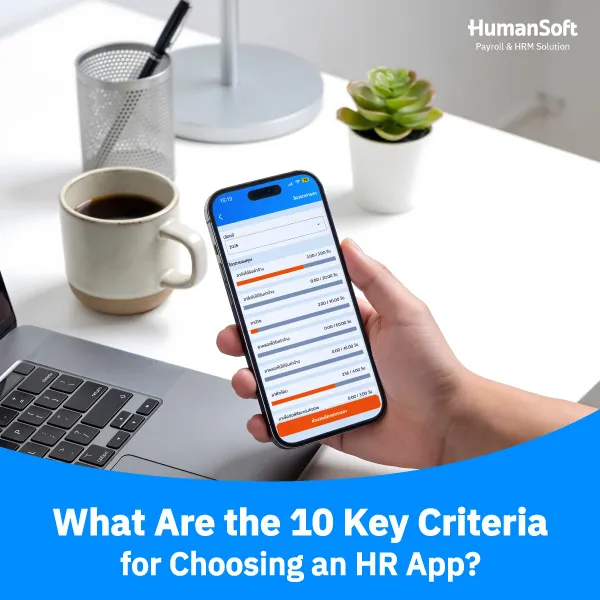
The 10-point checklist is divided into three categories: 5 items for employees, 2 for managers and HR, and 3 for security. An app that passes all items is more likely to be adopted by employees and reduce follow-up work for HR.
| No. | Category | What to Check | Passes When |
|---|---|---|---|
| 1 | Employees | Supports the Phones Employees Already Use | Works on both iOS and Android |
| 2 | Employees | Supports multiple languages such as Thai, English, Burmese, Chinese, and Malay | Each employee can choose their preferred language |
| 3 | Employees | Can Be Used Without Lengthy Training | New employees can clock in/out and submit leave requests on their own from the first use |
| 4 | Employees | Easy Time Attendance | Employees can clock in/out quickly, verify location, and view their own attendance history |
| 5 | Employees | Can Submit Requests and Check Information Independently | Submit leave/OT requests and view leave entitlement and working time payslipswithout having to ask HR |
| 6 | Managers and HR | Complete Document Approvals in the App | Managers receive notifications and can approve requests without opening a computer |
| 7 | Managers and HR | Role-Based Access | Each user sees only the data and menus needed for their role |
| 8 | Security | Protect Payslips and Personal Data | Supports personal payslip passwords and uses security controls aligned with ISO standards |
| 9 | Security | Handles Lost Phones or Employee Termination | HR can immediately disable access from the system |
| 10 | Security | The App Is Still Actively Maintained | Receives regular updates and has a reachable support team |
Employee Side: Is the HR App Easy Enough for Everyone to Actually Use?
Almost everyone should be able to use it without assistance. If some groups cannot use the app, HR may have to continue using paper forms in parallel, meaning the workload will not truly decrease.
1. Supports the Phones Employees Already Use
- Supports both iOS and Android with clearly stated minimum supported versions
- The app does not use excessive storage and remains usable on slower internet connections
- Employees can clock in/out, submit requests, and view payslips immediately
2. Supports Multiple Languages: Thai, English, Burmese, Chinese, and Malay
Organizations with foreign employees should choose an app that supports the languages used by all employee groups. Not understanding menu labels is a common reason employees make mistakes and have to ask HR for help. See an example at HR App That Supports Burmese
- Check that all menus are translated, including leave types, document statuses, and notifications
- Thai-speaking managers should still be able to understand requests submitted by team members using other languages
3. Easy Time Attendance
- Can verify identity and location, for example with GPS a defined clock-in radius or photo verification
- Supports multiple branches, multiple shifts, and field employees
- Clock-in data flows into calculations for lateness and absence
4. Submit Requests and Check Information Independently
- Submit leave, OT, and additionaltime requests and attach photos of medical certificates from mobile
- The app warns users before submission if leave entitlement is insufficient and lets them track request status
- View remaining leave entitlement check working time view payslips and 50 Tawi tax certificates without asking HR
Manager and HR Side: Can Work Really Be Completed on Mobile?
Yes, when managers can complete every approval step in the app and each user sees only the information they are authorized to access.
Complete Document Approvals in the App
- Receive instant notifications and approve, reject, or return requests with a reason directly in the app
- Supports multi-step approvals and substitute approvers when a manager is unavailable
- Approval results flow directly into payroll so HR does not need to re-enter data
Security Side: Can Employee Data Leak from Mobile Devices?
Yes, if the app does not have appropriate safeguards. Under Section 37 of the Personal Data Protection Act B.E. 2562 (2019) (PDPA) employers must implement appropriate security measures and notify the Personal Data Protection Committee Office (PDPC) of a data breach within 72 hours when the breach poses a risk to the rights of data subjects.
1. Role-Based Access
Role-Based Access defines what each role can see and do. The system should also record who viewed or edited data and when through an audit log.
| Role | What They Can See | What They Can Do |
|---|---|---|
| Employees | Only their own data | Clock in/out, submit requests, view their own payslips |
| Manager | Team attendance and requests (without salary information) | Approve or reject team requests |
| HR | Employee data, payroll, reports, and other information according to assigned permissions | Configure the system, edit data, enable/disable user access, calculate payroll, manage documents, and manage shifts |
2. Protect Payslips and Personal Data
- Require authentication before opening payslips, such as a PIN, fingerprint, or facial recognition
- The provider should have verifiable standards such as ISO/IEC 27001 and enter into a Data Processing Agreement (DPA) with the organization
3. Handle Lost Phones or Employee Termination
- HR can immediately disable an account or force logout from the back-office system
- App access can expire automatically, and HR can set the access end date
4. The App Is Still Actively Maintained
- Check the most recent update date in the App Store and Google Play
- A Thai-language support team is available with clearly stated response times
How Should You Trial an HR App to Get Meaningful Results?
Test it with real employees from every group, then score it using the 10-point checklist.
- Have office, field, and foreign employees install the app and clock in/out without advance training
- Have employees submit leave and OT requests, then have managers approve them on mobile
- Have HR verify that data enters the payroll calculation correctly without re-entry
- Test whether payroll calculations are accurate
How Does HumanSoft Meet This Checklist?
HumanSoft is a Thai HR and payroll system that includes all three components on one database: the HumanSoft App for employees, HumanSoft For HR for HR, which can manage shifts and OT and calculate payroll, taxes, and social security from mobile, plus web-based HR software.
| No. | Checklist | HumanSoft |
|---|---|---|
| 1 | Supports the Phones Employees Already Use | Apps on iOS and Android |
| 2 | Supports multiple languages | 5 languages: Thai, English, Burmese, Chinese, and Malay, selectable by each user |
| 3 | Can Be Used Without Lengthy Training | Main menus are on the home screen, with guides and videos from HumanSoft Academy |
| 4 | Easy Time Attendance | Facial recognition, GPS, QR Code, Wi-Fi, and beacon; supports multiple branches and shifts |
| 5 | Can Submit Requests and Check Information Independently | Submit leave and OT, view leave entitlement, attendance history, and payslips in the app |
| 6 | Complete Document Approvals in the App | Notifications and in-app approvals, with multi-level approval depending on the package; approval results flow into payroll automatically |
| 7 | Role-Based Access | Separate permissions for employees, managers, and HR |
| 8 | Protects payslips and personal data | PIN, facial recognition, or fingerprint authentication · ISO/IEC 27001 |
| 9 | Lost phone or employee termination | HR can immediately disable an account from the back-office system |
| 10 | The App Is Still Actively Maintained | Continuous updates, Product Updates, and Thai-language support |
You can try this checklist with real employees through a 30-day free HumanSoft trial
Summary: Which HR App Should You Choose? 10-Point Checklist Before You Decide
A good HR app should pass all three perspectives: employees can use it themselves on mobile in their own language, managers and HR can complete work in the app according to their permissions, and employee data is protected in line with the PDPA. Use this 10-point checklist to compare apps and decide based on real employee trials.
References
- Personal Data Protection Act B.E. 2562 (2019), Section 37 · Personal Data Protection Committee Office (PDPC)
- ISO/IEC 27001 Information security management systems
Frequently Asked Questions About Mobile HR Apps (FAQ)
Q: What is the difference between free and paid HR apps?
A: Free versions often limit the number of users and features, while paid versions typically support more approvals, reports, payroll integration, and support services.
Q: How can employees clock in if they forget their phone or their phone is broken?
A: Use the backup method specified by the company, such as a website, LINE OA, a time clock device, or notifying HR with supporting evidence.
Q: Are there alternatives if employees do not want to install another app?
A: They may be able to use a website, LINE OA, or a shared device, depending on the channels supported by the system.
Q: Will attendance data disappear if the HR app is deleted from the phone?
A: Data already sent to the system will not disappear, but users should check for any items still pending on the device before deleting the app.
Q: How long should an HR app be tested before making a decision?
A: At least 14–30 days, or through one complete real work cycle before rolling it out across the organization.
Q: Does an HR app need an internet connection at all times?
A: Most do, but some systems offer an offline mode that lets employees clock in first and automatically syncs the data when connectivity returns.
Q: Does an HR app track employee GPS location all the time?
A: A well-designed app should collect location only when employees clock in/out, and the organization should explain the purpose in its Privacy Notice.
Q: Is it difficult to migrate employee data from Excel into an HR app?
A: Most systems can import data from Excel files. Ask the provider whether an implementation team is available to assist with setup.
Q: Can an HR app be used with daily-paid or part-time employees?
A: Yes, if the system supports daily or hourly wages and shift scheduling.
Read More Related Articles
- What Is an ESS App? Easy for Employees to Use Without HR Training
- HR Applications: A Guide to Human Resource Management in the Digital Era
- What Is an HR System and How Do You Choose One for a Thai Organization?
- HumanSoft App: HR Software That Supports Burmese
- What Modern Free Time Attendance Software Options Are Available?