

What Should Payroll Software Include, and How Does It Help HR?
Good payroll software should calculate wages accurately, be easy to use, adapt to company-specific conditions, store data securely, and provide support when issues arise.
Table of Contents:
- What Should Payroll Software Include, and How Does It Help HR?
- Why Should HR Use Payroll Software?
- What Features Should Payroll Software Have?
- 6 Benefits of Payroll Software That Make HR Work Easier
- How Does HumanSoft Payroll Software Solve HR Challenges?
- Summary: What Should Payroll Software Include, and How Does It Help HR?
- FAQ: Frequently Asked Questions About Payroll Software
Why Should HR Use Payroll Software?
Payroll involves more than calculating base salaries. It also covers working hours, overtime, leave, earnings, deductions, taxes, Social Security, and company-specific conditions. When HR manages this information across multiple files, data may need to be entered repeatedly and take longer to verify. Payroll software should therefore connect relevant data, reduce manual steps, and simplify data checks before closing each payroll period.
What Features Should Payroll Software Have?
The right payroll software reduces HR’s workload and the risk of errors, giving HR more time to manage other responsibilities. Essential payroll software features should include the following:
1. Convenient and Easy to Use
Payroll software should have an intuitive design that is easy for everyone in the organization to learn and use, regardless of age. This enables HR to work more quickly and efficiently.
2. Supports Multiple Types of Earnings and Deductions
The system should support the payroll components the organization actually uses, such as:
-
Salaries and wages
-
Bonuses and commissions
-
Attendance allowances and other allowances
-
Absence, leave, lateness, and early departure
-
Taxes and Social Security contributions
-
Company-specific earnings and deductions
HR should also be able to configure conditions that match company policies without manually editing data every time payroll is calculated.
3. Secure Data Storage
Payroll software should have robust data security measures to protect confidential personal and financial information belonging to employees and the organization.
4. Fast Calculation and Verification
Good payroll software should calculate payroll and payments accurately while processing data quickly and reliably.
5. Connects Attendance Data with Payroll
A system that connects attendance records, work shifts, leave, and overtime with payroll calculations reduces the need to collect information from multiple sources. HR can review information in one place and reduce the risk of copying incorrect figures between files.
6. Regular Updates and Customer Support
Payroll laws and regulations may change. Providers should therefore update their systems continuously and offer support for setup, implementation, and troubleshooting during payroll closing.
6 Benefits of Payroll Software That Make HR Work Easier
| Payroll Software Benefit | Common HR Challenge | How Payroll Software Helps |
| Easy to use | Payroll calculations are complex and require multiple files | Brings essential data and processes together in one system |
| Supports diverse conditions | Different employee groups have different salaries, overtime, bonuses, and deductions | Configures earnings, deductions, and calculation conditions to match company policies |
| Secure data storage | Payroll files may be forwarded, viewed, or edited by unauthorized people | Assigns access permissions based on job responsibilities |
| Fast calculation and verification | Formulas and figures must be reviewed employee by employee before payroll closing | The system calculates payroll according to configured conditions |
| Connects attendance data | HR must collect working hours, leave, overtime, and lateness data from multiple sources | Connects attendance data to the payroll period and reduces duplicate data entry |
| Regular updates and customer support | HR must track changes and troubleshoot configuration issues independently | The provider updates the system and offers a support team for guidance |
*Information as of September 2026
How Does HumanSoft Payroll Software Solve HR Challenges?
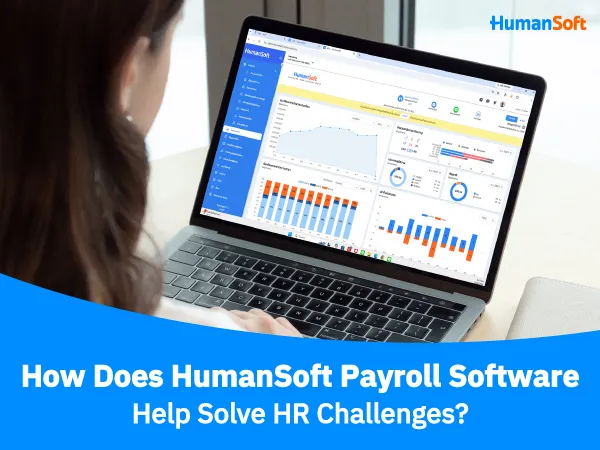
As an organization grows, choosing software that connects attendance, documents, and payroll in one system reduces the need to combine data from multiple files before payroll closing. HumanSoft supports payroll calculations, overtime periods, separate attendance periods, and special payroll periods, as well as taxes, Social Security contributions, and related deductions. HR can therefore manage data continuously from attendance through payroll.
Summary: What Should Payroll Software Include, and How Does It Help HR?
Good payroll software should be easy to use, support the organization’s wage conditions, connect attendance data, provide historical records for review, and implement appropriate data protection measures.
HumanSoft is payroll software that connects employee data, attendance, documents, and payroll calculations in one place. You can try it free for up to 30 days Therefore, HumanSoft is another compelling option for HR teams or organizations looking for payroll software.
FAQ: Frequently Asked Questions About Payroll Software
Can Payroll Software Be Used by Companies with Multiple Branches?
Yes, if the system supports separate companies, branches, departments, or cost centers. Organizations should confirm that permissions can be configured and reports generated separately according to the required structure.
Do Employees Need to Use the Payroll Software?
It depends on the features of each system. Employees generally do not calculate payroll themselves, but some systems offer Employee Self-Service (ESS) that allows employees to view payslips, check information, or download documents independently—for example, HumanSoft payroll software.
Does Online Payroll Software Need to Be Installed on a Computer?
Most online payroll software does not require installation. Users can access the system through a web browser or application, but should confirm the available access methods with each provider.
Related Articles You May Find Helpful



