

Free Employee Scheduling Software: How to Choose the Right One for Your Business
Free employee scheduling software helps businesses plan shifts, workdays, and days off without an upfront cost. It is suitable for small businesses or organizations that want to test a system. Before implementation, however, check whether it is permanently free or offered as a free trial, and whether it supports shift changes, time attendance, and payroll integration.
Table of Contents:
- Free Employee Scheduling Software: How to Choose the Right One for Your Business
- What Is Free Employee Scheduling Software?
- Which Businesses Are Free Scheduling Tools Suitable For?
- Comparing Excel, Free Software, and Free HR Software Trials
- 7 Essential Features of Employee Scheduling Software
- How to Choose the Right Free Scheduling Software for Your Business
- HumanSoft How Does HumanSoft Support Shift Scheduling and HR Integration?
- Summary: How to Choose Free Scheduling Software That Delivers Value
- Frequently Asked Questions About Free Employee Scheduling Software
What Is Free Employee Scheduling Software?
Free employee scheduling software is a tool that helps businesses assign working hours, shifts, days off, and responsible employees for each time period. It can be used at no initial cost under the provider’s terms and may come as an Excel template, a shift-scheduling application, or an online HR system.
These tools generally fall into two distinct categories:
- Free forever: Core features remain available, but the number of employees, branches, user permissions, or reports may be limited.
- Free trial: Use the system for a limited period before choosing a subscription plan. For example, HumanSoft offers a 30-day free trial.
Which Businesses Are Free Scheduling Tools Suitable For?
Free employee shift scheduling software is suitable for businesses that want to begin organizing work schedules, particularly organizations with a small workforce and relatively simple working arrangements.
- Restaurants and cafés: Schedule opening and closing shifts for full-time and part-time employees.
- Retail and service businesses: Plan branch staffing and rotate days off to maintain continuous coverage.
- Clinics and healthcare facilities: Assess whether the tool can handle rotating schedules and the operational complexity of each department.
- Factories and warehouses: Plan morning, afternoon, and night shifts while tracking each team’s working hours.
- SMEs without an HR department: Allow business owners or supervisors to schedule employees from one system.
Businesses that frequently rotate employee days off can learn more about how to schedule employee days off for retail stores and restaurants to support their workforce planning.
Comparing Excel, Free Software, and Free HR Software Trials
Each type of tool serves different needs. Do not focus only on the word “free”; also consider how much manual work remains and whether the tool can integrate data across systems.
| Comparison | Excel / Google Sheets | Free-Forever Software | Free HR Software Trial |
|---|---|---|---|
| Initial Cost | No additional cost if the tool is already available | No cost under the free plan | No cost during the trial period |
| Shift and Day-Off Scheduling | Created and updated manually | Available according to plan limitations | Features available under the provider’s trial terms |
| Employee Notifications | Files must be sent or employees notified via chat | Depends on the software | May support mobile apps and online approvals |
| Time Attendance Integration | Generally not integrated automatically | Often limited by the plan | Available when the system supports integration |
| Payroll and OT Integration | Data must be transferred for further calculation | Depends on the provider | Supported by an integrated HR and payroll system |
| Best Suited For | Small teams with fixed shifts | Teams that need basic features | Businesses that want to test a system before investing |
Summary: Excel is suitable for getting started, free software works for basic shift scheduling, and a free HR software trial is suitable for organizations that want to evaluate the complete workflow—from shift planning to payroll closing.
7 Essential Features of Employee Scheduling Software
Before choosing employee scheduling software or a shift-planning app, review the features that affect the daily work of supervisors and employees.
1. Configure Shifts and Working Hours Accurately
The system should support morning, afternoon, night, and overnight shifts, as well as break periods. Start and end times should match each department’s actual work patterns rather than being limited to fixed schedules.
2. Schedule Days Off and Plan Staffing in Advance
Supervisors should be able to see who is working, who is off, and when staffing levels are insufficient. This is especially useful for businesses that operate every day or have multiple branches. Learn more about the shift and day-off management system.
3. Let Employees Check Their Schedules on Mobile Devices
Employees should be able to check their shifts and days off without repeatedly asking their supervisors. This reduces errors caused by sharing multiple versions of schedule images through chat.
4. Support Online Shift-Change Requests and Approvals
When employees need to change a shift or day off, the system should provide a request and approval workflow. This creates a clear record that can be reviewed later. See the online document submission and approval system
5. Integrate Time Attendance Data
A good shift schedule should be compared with actual attendance data to identify late arrivals, early departures, or excess working hours under company policies. Businesses with employees across multiple branches should consider an online time attendance system that supports multiple clock-in methods.
6. Integrate Payroll, Shift Allowances, and OT Data
If shift schedules must be sent to HR every month, choose a system that can use working-hour data to calculate earnings and overtime, such as automated payroll and OT calculation software , which helps reduce duplicate data entry and errors during payroll closing.
7. Provide Clear Access Permissions and Pricing
Check who can view or edit schedules, whether permissions can be assigned by role, and what fees apply when the employee limit is exceeded or the free trial ends.
How to Choose the Right Free Scheduling Software for Your Business
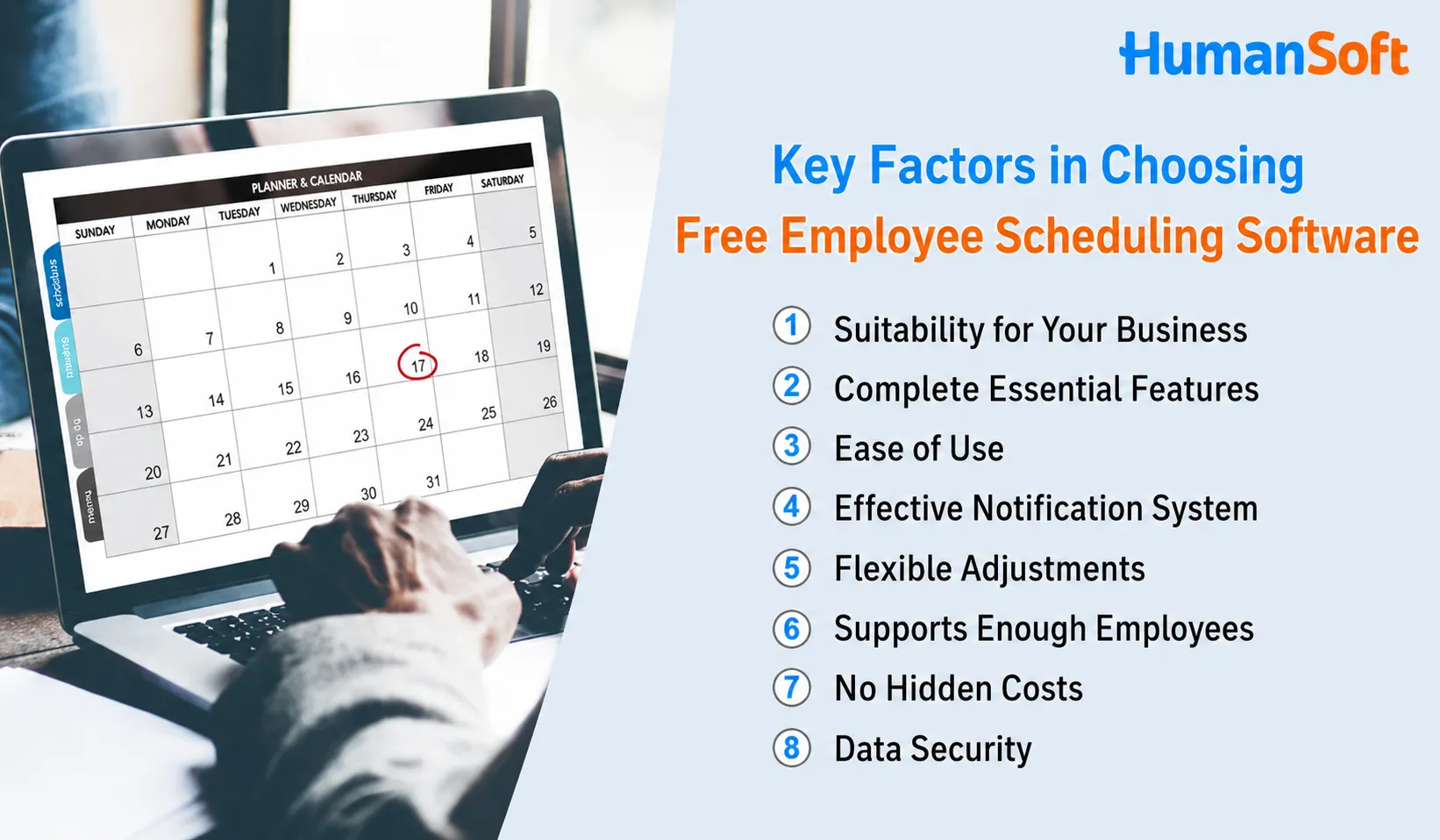
- Suitability for Your Business Type Scheduling software should match the type and specific needs of your business.
- Complete Essential Features For example, creating schedules that specify each employee’s date, time, and responsibilities, and notifying employees when changes occur.
- Ease of Use The system should be user-friendly, require no additional training, and be easy to learn independently.
- Effective Notification System Notifications should be sent directly to both supervisors and employees.
- Flexible Schedule Adjustments Schedules should be adjustable quickly in an emergency.
- Sufficient Employee Capacity Even free software should support an appropriate number of employees for your business size.
- No Hidden Costs Pricing should be transparent, with no hidden commitments.
- Data Security Automatic backups and access controls should help prevent data loss or breaches.
HumanSoft How Does HumanSoft Support Shift Scheduling and HR Integration?
HumanSoft HumanSoft is an HR and payroll system that manages shifts, days off, time attendance, and payroll calculations in one place. It is suitable for businesses that want to reduce duplicate work among business owners, supervisors, HR teams, and employees.
- Set shifts and days off: Configure working hours and create schedules based on each team’s needs.
- Employees can check schedules through the app: View shift details and submit shift-change requests according to assigned permissions.
- Integrate time attendance: Review actual working hours through the clock-in methods supported by the system and selected plan.
- Support documents and approvals: Manage leave, OT, shift-change, and day-off change requests.
- Integrate payroll data: Use working hours and related data in payroll calculations.
Tips! Read the steps for scheduling shifts with HumanSoft HR software and the guide to creating well-balanced employee shifts with scheduling software.
Want to Test Shift Scheduling with Your Business Data?
Try HumanSoft Free for 30 Days Evaluate shift scheduling, time attendance, and payroll integration before choosing the right plan.
Summary: How to Choose Free Scheduling Software That Delivers Value
Free employee scheduling software allows businesses to start planning shifts and days off without an immediate investment. However, distinguish between free-forever tools and free trials, and check employee limits, shift-change capabilities, time attendance, and payroll integration. If schedules are simple, a free tool or Excel may be sufficient. For multiple shifts, branches, and OT management, an integrated HR system can reduce the long-term administrative workload.
Frequently Asked Questions About Free Employee Scheduling Software
Q: Is Free Employee Scheduling Software Really Available?
A: Yes. Some tools are free forever but limit the number of users or available features, while others offer a free trial for a specified period. Review the terms before choosing a system.
Q: Can Excel Be Used to Schedule Employee Shifts?
A: Yes. Excel is suitable for small teams with uncomplicated schedules, but schedules must be recorded, updated, and communicated manually. It also generally does not integrate attendance and payroll data automatically.
Q: Can Employees Request Shift Changes on Mobile Devices?
A: Yes. If the software supports online shift-change requests and approvals, employees can submit requests through the app, and supervisors can review and approve them according to the organization’s permissions.
Q: Can Scheduling Software Integrate with Payroll Calculations?
A: Yes. An integrated HR and payroll system can use shift, day-off, actual working-hour, and OT data in payroll calculations, reducing duplicate data entry.
Q: When Should a Business Upgrade from Free to Paid Software?
A: Consider upgrading when the business has multiple shifts or branches, a growing workforce, frequent scheduling conflicts, or a need to use working-hour data for payroll and OT calculations that a free system may not fully support.
Related Articles



