

What Is a Meeting Agenda? Writing Tips + Free Template
A meeting agenda is a document that tells participants in advance which topics will be discussed and in what order. Formal meetings commonly follow five agenda items: announcements from the chair, approval of the previous meeting minutes, matters for information, matters for consideration, and other business. The secretary prepares the agenda and sends it to participants with the meeting notice.
Table of Contents:
- What Is a Meeting Agenda? Writing Tips + Free Template
- Why Is a Meeting Agenda Important?
- How Many Items Are on a Meeting Agenda? What Should Each Include?
- What Types of Meeting Agendas Are There?
- How Do You Write an Effective Meeting Agenda?
- Meeting Agenda Example + Free Template Download
- How Far in Advance Should You Send a Meeting Agenda?
- Summary: What Is a Meeting Agenda? Writing Tips + Free Template
- Frequently Asked Questions About Meeting Agendas
Why Is a Meeting Agenda Important?
An agenda sets out the key topics for discussion in a logical order. It helps:
- Participants understand the topics in advance and prepare relevant material, questions, answers, and supporting information.
- Keep the meeting organized and focused.
- The chair allocate an appropriate amount of time to each agenda item.
How Many Items Are on a Meeting Agenda? What Should Each Include?
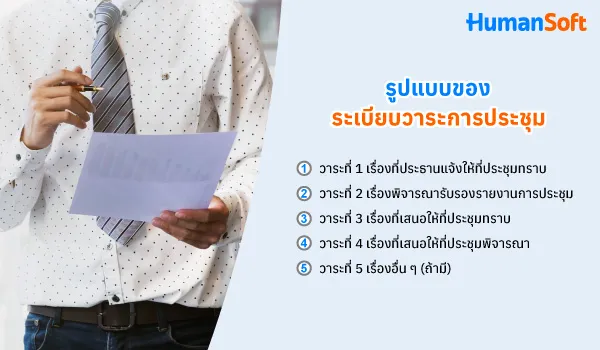
Government agencies and large private organizations commonly use a formal format with the following five agenda items:
Item 1: Announcements from the Chair
This item covers policies, news, or important updates the chair wishes to share with participants. For example, the chair may announce a hybrid working policy that will take effect the following month.
Item 2: Approval of the Previous Meeting Minutes
Participants review the previous meeting minutes for accuracy and propose any corrections before approval. For example, consider approving the minutes of Meeting No. 9/2569.
Item 3: Matters for Information
This item covers reports, performance updates, or progress from different departments. For example, HR may present a summary of employee turnover in the third quarter.
Item 4: Matters for Consideration
This item covers matters requiring discussion, a decision, or approval. Sufficient supporting information should be provided. For example, consider approving the employee training budget for the following year.
Item 5: Other Business (If Any)
This item covers additional matters not included in the preceding agenda items, such as scheduling the next meeting. If there are no additional matters, state “None”.
What Types of Meeting Agendas Are There?
There are three types of agendas, depending on the format adopted by each organization:
- Formal Uses the five agenda items shown in the table above. Commonly used by government agencies and large organizations.
- Informal Lists discussion topics in order. Suitable for team meetings or brief discussions.
- Organization-specific Adapts the agenda headings to suit the organization’s work.
How Do You Write an Effective Meeting Agenda?
| Item | Details to Include | Example |
|---|---|---|
| Meeting Name and Number | Specify the team or committee name and meeting number. | HR Department Meeting No. 10/2569 |
| Date, Time, and Location | Specify the start and end times, meeting room, or online meeting link. | 10 November 2026, 09:00–10:30, Meeting Room 1 |
| Agenda Topic | Clearly state what will be presented or considered. | Consider the employee training plan for 2027. |
| Purpose of Each Topic | Specify whether the item is for information, discussion, or approval. | To consider approving the training budget. |
| Presenter | Specify the presenter’s name or position. | HR Manager |
| Time Allocation | Allocate time according to the importance of the topic. | 20 minutes |
| Supporting Documents | List the documents participants should read in advance. | Training plan and budget details |
Meeting Agenda Example + Free Template Download
Sample meeting agenda template with headings for Items 1 through 5
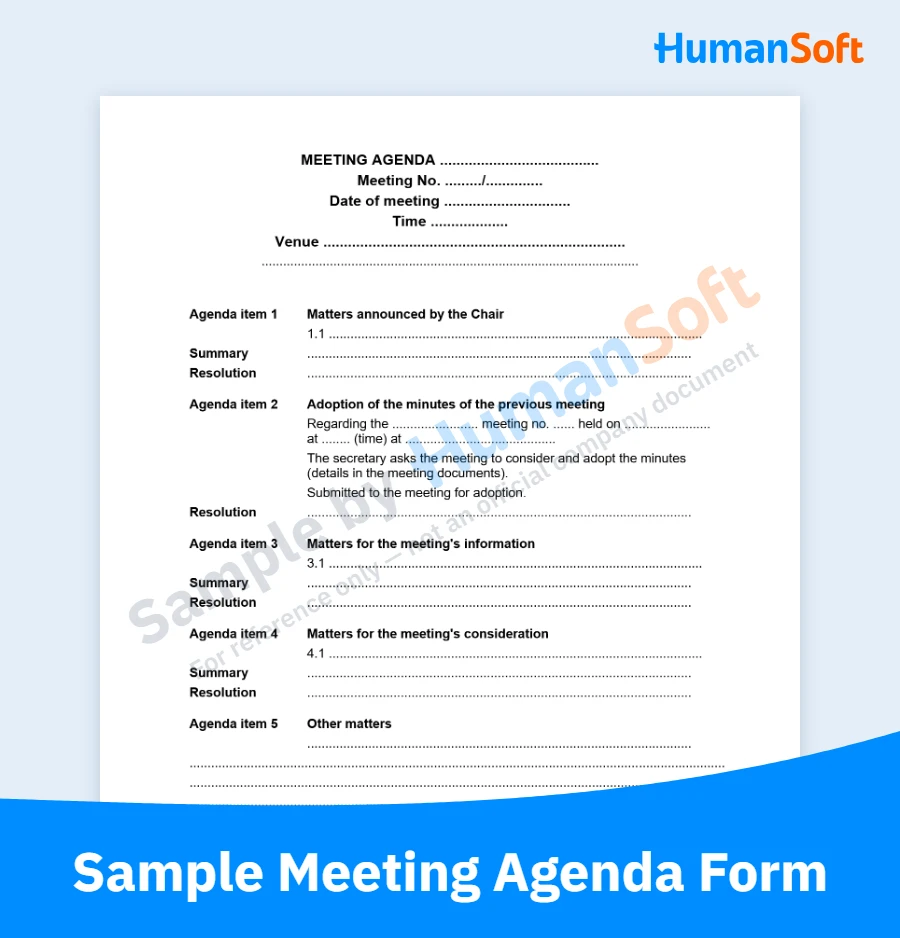
Click to download >> Meeting Agenda Template <<
How to Use the Template
- Go to File > Download and select your preferred file format.
- Alternatively, copy the template and paste it into Microsoft Word.
How Far in Advance Should You Send a Meeting Agenda?
Send the agenda to participants at least 24 hours before the meeting, together with the meeting notice and relevant documents. The agenda outlines all the topics to be discussed. It can be sent by email or through other online channels used by the organization.
Summary: What Is a Meeting Agenda? Writing Tips + Free Template
Before each meeting, the secretary should consult the chair to set the agenda and send it to participants in advance. This helps everyone prepare, keeps the meeting organized, and makes good use of time. After the meeting, use the meeting minutes template to record the outcomes.
Frequently Asked Questions About Meeting Agendas
Q: What Is the Difference Between a Meeting Agenda and Meeting Minutes?
A: An agenda is prepared before the meeting to outline the topics for discussion. Meeting minutes are prepared afterward to record what was discussed and what decisions were made.
Q: How Do I Propose a Topic for the Meeting Agenda?
A: Notify the secretary before the agenda is circulated, providing the topic, purpose, and supporting documents. The secretary will then consult the chair to decide where to include it on the agenda.
Q: Can Items Be Added During a Meeting?
A: Yes, if the chair and participants agree. However, matters requiring important decisions should be placed on the agenda for the next meeting to give participants time to prepare the necessary information.
Q: What If an Agenda Item Cannot Be Concluded During the Meeting?
A: Record in the minutes that no conclusion was reached, then carry the item forward to the next meeting’s agenda. Specify any additional information that needs to be prepared.
Q: Is an Online Meeting Agenda Different from an In-Person Meeting Agenda?
A: The agenda structure is the same, but it should also include the meeting link, joining instructions, and access to supporting documents. Participants should also be asked to test their setup before the meeting begins.
Read More Related Articles
- Free Meeting Minutes Template: A Beginner’s Guide
- Free Employment Contract Templates in Thai and English
- Free Certificate of Past Employment: What Employers and Employees Should Know
- Free Certificate of Employment Templates in Thai and English
- 4 Steps to Write a Professional Job Application Email That Impresses HR
