

What Are the Key Features of an HRM System and Who Is It For?
An HRM system brings HR data and processes—such as employee records, payroll, attendance, shifts, documents, ESS, and performance appraisals—into one platform. It reduces repetitive HR work and connects data more efficiently. Organizations should choose a system that fits their workflow and size.
Table of Contents:
- What Are the Key Features of an HRM System and Who Is It For?
- What Is an HRM System?
- What Are the Essential Functions of an HRM System?
- Key Benefits of Six HRM System Functions
- What Types of Businesses Are Suitable for an HRM System?
- Move from Multiple Systems to One HRM Platform with HumanSoft
- Conclusion: What Are the Key Features of an HRM System and Who Is It For?
- FAQ: Frequently Asked Questions About HRM Systems
What Is an HRM System?
HRM stands for Human Resource Management It refers to managing an organization’s human resources through various processes so employees can perform at their best and help move the organization toward its future goals.
Tips! Read more >> Why Is HRM Important for Managing Modern Organizations?
What Are the Essential Functions of an HRM System?
Implementing an HRM system helps HR teams manage a wide range of tasks more easily and strengthens the organization’s long-term operational capabilities.
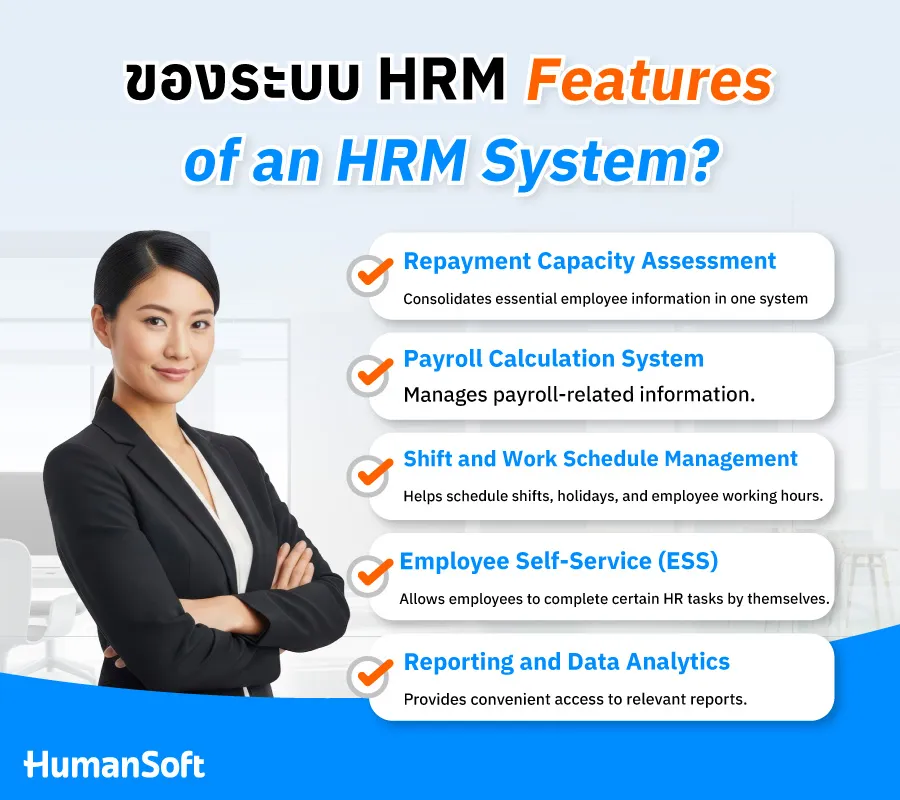
1. Employee Information System
This system stores employees’ personal information, salary details, employment records, and length of service.
2. Payroll System
The system can calculate payroll in detail with accuracy and precision. HR can easily process salaries and calculate other items such as taxes, OT, and Social Security contributions, significantly reducing payroll errors.
3. Shift Management System
HR can easily schedule work shifts for employees, including same-day clock-in and clock-out shifts, combined shifts, and defined working hours.
4. Employee Self-Service (ESS)
Employee Self Service This system allows employees to access information and complete tasks independently and quickly, such as submitting documents, recording attendance, and checking leave balances online.
5. Analytics Reports
The system generates summary reports for analysis, including payroll, leave, attendance, tax, and Social Security reports, making HR data easier to analyze.
6. Performance Appraisal System
This system supports employee development through employee appraisals, KPI or probation evaluations.
Key Benefits of Six HRM System Functions
| Function | Key Feature | Benefit to the Organization |
| Employee Information System | Stores employee data and documents in one system | Reduces the need to search across multiple files |
| Payroll System | Supports salaries, OT, bonuses, earnings–deductions, taxes, Social Security, and funds | Reduces manual calculation steps |
| Shift and Time Attendance System | Schedules shifts, holidays, and clock-in–clock-out times while supporting diverse work models | Makes it easier to use attendance data for OT and Payroll |
| Employee Self-Service (ESS) | Employees can check leave balances or submit documents themselves | Reduces tasks that HR must complete on employees’ behalf |
| Reporting and Data Analytics System | Combines attendance, leave, OT, payroll, and employee data for reporting | Reduces time spent collecting data from multiple sources |
| Employee Performance Appraisal System | Supports KPI and probation evaluations and stores historical appraisal results | Helps track performance and use appraisal data for employee development |
What Types of Businesses Are Suitable for an HRM System?
An HRM system is not only for large organizations. It is suitable for businesses with multi-step HR processes, large volumes of data, or growing limitations from using Excel.
- Restaurants and Retail Businesses These businesses often have employees across multiple branches, rotating shifts, daily workers, and different days off. An HRM system connects shift, attendance, leave, OT, and payroll data for every branch.
- Hotels and Service Businesses Employees may work around the clock and across overnight shifts, making schedules, attendance, holidays, and OT more complex. An HRM system organizes this information more effectively.
- Manufacturing Businesses With large workforces, multiple shifts, and various wage calculation rules, an HRM system connects attendance, OT, shift, and payroll data.
- SMEs SMEs often have a small HR team or just one person responsible for HR. An HRM system reduces paperwork and standardizes HR processes.
- Companies with Multiple Offices, Stores, Clinics, Warehouses, or Branches They can consolidate employee and attendance data in one system, reducing delays while waiting for information from each location.
Move from Multiple Systems to One HRM Platform with HumanSoft
When an organization still relies on Excel, paper documents, and separate software, HR spends more time collecting, checking, and transferring data between systems. The HRM system from HumanSoft connects employee data, time attendance, shift scheduling, leave, OT, online documents, payroll, performance appraisals, and HR reports in one platform. Employees can clock in, view payslips, submit leave requests, request OT, and complete other tasks through the mobile app. HR can review the relevant data and use it in payroll calculations, reducing duplicate data entry and creating a more seamless HR process.
Conclusion: What Are the Key Features of an HRM System and Who Is It For?
An HRM system brings employee data, attendance, shifts, leave, OT, Payroll, ESS, reports, and performance appraisals into one platform. It reduces manual work and makes data integration easier. The HumanSoft platform covers essential HR functions, including payroll calculations, shift scheduling, and time attendance, significantly reducing HR workload.
FAQ: Frequently Asked Questions About HRM Systems
Q: What Is the Difference Between HRM and HRMS?
A: HRM refers to human resource management, while HRMS commonly refers to software that manages HR processes. In general usage, however, the terms HRM System and HRMS are often used in similar contexts. Learn more >>> What Is HRMS and How Does It Help HR Drive an Organization Forward?
Q: Can an HRM System Calculate Payroll?
A: Yes. If the system includes Payroll, it can support salaries, OT, earnings, deductions, taxes, Social Security contributions, and other items depending on the selected system’s features.
Q: What Should You Consider When Choosing an HRM System?
A: Consider employee data management, Payroll, Time Attendance, shifts, leave and OT, ESS, data access permissions, reports, ease of use, pricing, support, and scalability as the organization grows.
Read More Related Articles



