
Which Online Employee Time Attendance System Should You Choose?
An online employee time attendance system records working hours through mobile devices, GPS, Wi-Fi, beacons, QR codes, facial recognition, or fingerprint scanners and consolidates the data in one central system. It is suitable for organizations that want to reduce manual data collection, review attendance records faster, and connect attendance data with HR or payroll processes.
Table of Contents:
- Which Online Employee Time Attendance System Should You Choose?
- What Is an Online Employee Time Attendance System?
- How Does Online Time Attendance Differ from Traditional Systems?
- 7 Types of Online Time Attendance Systems
- Why Should Organizations Use an Online Time Attendance System?
- How to Choose the Right Time Attendance System for Your Organization
- How Does HumanSoft Connect Time Attendance with HR and Payroll?
- Summary: Which Online Time Attendance System Is Right for Your Organization?
- Frequently Asked Questions About Online Time Attendance Systems
What Is an Online Employee Time Attendance System?
An online employee time attendance system records clock-in times, clock-out times, and attendance data through digital devices. The data is sent to a central system where HR or authorized users can review it without manually collecting timecards, paper records, or files from multiple sources.
How Does Online Time Attendance Differ from Traditional Systems?
| Comparison | Traditional Time Attendance | Online Time Attendance |
|---|---|---|
| Time recording | Uses paper records, timecards, or fixed-location devices | Supports mobile, web, scanners, or other online methods, depending on the system |
| Data consolidation | HR must collect and import data manually | Data is sent to a central system, reducing the need to consolidate multiple files |
| Record review | Historical records are checked through documents or time clocks | Authorized users can review dates, times, clock-in methods, and edit history |
| Employees across multiple branches | May require separate devices and data transfers from each branch | Consolidates data from multiple locations in one system |
| HR and payroll integration | Data often needs to be entered or transferred manually | Can connect shift, leave, overtime, and payroll data when supported |
7 Types of Online Time Attendance Systems
Each time attendance method suits different workplaces and work arrangements. Organizations should therefore choose a system based on their actual operating environment rather than the number of features alone.
| Clock-in method | How it works | Best suited for | What to check |
|---|---|---|---|
| Facial recognition | Verifies identity through a camera or mobile device | Offices, retail stores, factories, and multi-branch businesses | Liveness detection, permitted clock-in areas, and camera quality |
| Fingerprint scanning | Employees clock in through a fixed scanner | Fixed workplaces with clearly defined entry and exit points | Hardware, connectivity, and data import |
| GPS | Employees clock in by mobile phone within a designated area | Field employees, sales teams, and multi-branch staff | Geofence radius, location accuracy, and GPS permissions |
| QR Code | Scans a code using a mobile device or shared terminal | Events, rotating staff, and multiple clock-in points | Code validity and safeguards against code sharing |
| Wi-Fi | Allows clock-in when connected to an authorized network | Offices or branches with a dedicated network | Network coverage and stability |
| Beacon | Detects proximity to a device via Bluetooth | Indoor areas or designated work zones | Signal range, installation, and device Bluetooth settings |
| Team scanning | A supervisor scans the faces of team members | Worksites or teams whose employees do not have personal devices | Supervisor permissions and attendance evidence |
In addition to these seven primary methods, some systems support kiosk mode, offline mode, file imports, and manual time entry for situations where employees have no internet connection, forget to clock in, or the organization needs to retain data from existing devices.
Why Should Organizations Use an Online Time Attendance System?
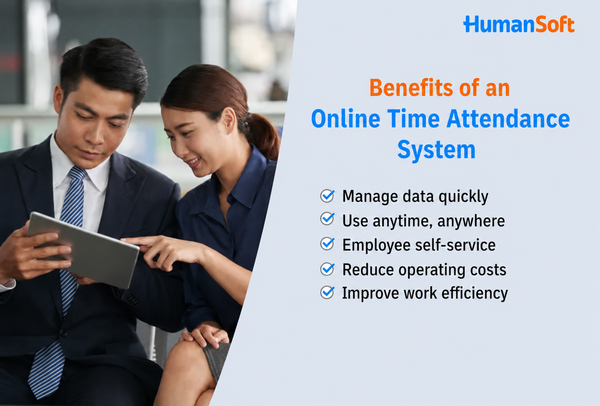
Why Should Organizations Use an Online Time Attendance System?
An online time attendance system helps organizations manage employee clock-in and clock-out data conveniently and systematically. Its key benefits include:
Manage Data Quickly
The system consolidates employee clock-in and clock-out data in one place. HR can conveniently review working hours, late arrivals, absences, and total hours without spending time collecting records from documents or multiple files.
Use It Anytime, Anywhere
Employees can clock in through mobile phones or devices designated by the organization, while administrators can review the data online. This is suitable for organizations with multiple branches, field employees, or flexible work arrangements.
Enable Employee Self-Service
Employees can review their clock-in and clock-out times, shift schedules, and work information through the system. This reduces routine questions for HR and makes it easier for employees to track relevant records.
Reduce Operating Costs
An online time attendance system reduces paper use, data-storage steps, and the time HR spends collecting and reviewing working-hour records, allowing the organization to manage resources more efficiently.
Improve Work Efficiency
Systematically recorded attendance data is easier for HR to review and use with shift scheduling, leave, overtime, and payroll calculation. This reduces duplicate work and operational errors.
How to Choose the Right Time Attendance System for Your Organization
1. Start with Work Locations and Work Arrangements
Identify whether employees work in offices, factories, retail stores, worksites, or off-site locations. If you have several employee groups, choose a system that can assign different clock-in methods by location or employee type.
2. Assess Shift and Time-Rule Complexity
Organizations with overnight shifts, double shifts, multiple breaks, or special workdays should test whether the system calculates time according to real operating rules and how it handles late arrivals, early departures, and overtime.
3. Choose Identity Verification and Clock-In Location Controls
Consider whether you need facial recognition, fingerprint scanning, GPS, Wi-Fi, beacons, or QR codes. Also review safeguards against buddy punching, accuracy, and how the system works when an internet connection is unavailable.
4. Review Time Corrections and Approval Workflows
When an employee forgets to clock in, the system should provide a traceable process for submitting a request, adding a time entry, or correcting the record. Time data should not be changed without supporting evidence or clear accountability.
5. Check HR and Payroll Integration
A time attendance system that is separate from payroll may require HR to export and import data every month. To reduce manual work, choose a system that connects employee, shift, leave, overtime, and payroll data.
6. Test Real-World Scenarios Before Deciding
Test clock-ins from the office and off-site locations, overnight shifts, missed clock-ins, device changes, and reports before selecting a package. This helps reveal limitations that may not be fully described in a website feature list.
How Does HumanSoft Connect Time Attendance with HR and Payroll?
HumanSoft provides a time attendance system that supports seven clock-in methods, including facial recognition, fingerprint scanning, GPS, QR codes, Wi-Fi, beacons, and team scanning. Other options may include kiosk mode, offline mode, file imports, and manual time entry, depending on the selected system and package.
Time attendance data can work together with shifts, holidays, leave, overtime, and the automated payroll system. This allows HR to review data from daily attendance through payroll closing in one system. Available clock-in methods and capabilities may vary by package, so organizations should compare package features and check the latest HumanSoft pricing before deciding.
Want to know which clock-in method suits your organization?
Try HumanSoft free for 30 days to test clock-in methods, data review, and integration with HR and payroll using your organization’s actual workflow.
Summary: Which Online Time Attendance System Is Right for Your Organization?
The right online time attendance system should support your organization’s actual work locations, clock-in methods, shifts, and time-correction processes. It should also provide traceable historical records and connect with HR or payroll when needed. Office-based employees may use Wi-Fi or facial recognition, while GPS may suit field employees. Organizations with several employee groups should choose a system that supports multiple methods together.
Frequently Asked Questions About Online Time Attendance Systems
Q: What Is an Online Employee Time Attendance System?
A: An online employee time attendance system records clock-in and clock-out times through digital devices such as mobile phones, fingerprint scanners, GPS, Wi-Fi, beacons, or QR codes. It then sends the data to a central system where HR can review it and calculate working hours.
Q: What Types of Businesses Are Online Time Attendance Systems Suitable For?
A: They are suitable for businesses of all sizes, especially organizations with multiple branches, off-site employees, shift work, or attendance data from several locations. A central system makes the data easier for HR to review.
Q: Can Employees Clock In Off-Site Using GPS?
A: Yes. If the system supports GPS and the organization defines permitted clock-in areas, employees can clock in by mobile phone within those locations. This is suitable for sales representatives, service teams, and field employees.
Q: Can a Missed Clock-In Be Corrected Later?
A: Yes, if the system supports adding or correcting time entries. HR or authorized users can review and update the information according to the organization’s process while retaining a history for later auditing.
Q: Can Time Attendance Data Be Connected to Payroll?
A: Yes, when the time attendance system works with HR and payroll. Shift, holiday, working-hour, and overtime data can be used in payroll calculations, reducing duplicate data entry and errors.
Read More Related Articles



