
How Can HR Software Help Manage Employee Debt?
HR software makes employee debt management more systematic, from recording loan information and setting repayment installments to calculating payroll deductions, checking statuses, and reviewing historical reports. This helps reduce manual work and minimize errors in HR data management.
Table of Contents:
What Is Employee Debt?
Employee debt refers to financial obligations that an organization manages together with its employees, such as:
-
Company loans
-
Emergency loans
-
Employment security deposits
-
Items requiring installment deductions
Many organizations provide financial benefits to support employees. However, as the number of employees increases, tracking outstanding balances and calculating monthly deductions can become a burden for HR.
What Can Cause Employee Debt Problems?
Employee financial problems can arise from many causes. Some common factors that can lead to debt problems include:
• Interest on loans (both formal and informal)
• Interest on credit cards and cash cards
• Unexpected debt obligations
• Taking on excessive installment purchases
• Investing without sufficient knowledge or expertise
• Lending money to others
• Excessive spending
These problems can contribute to stress, reduce work performance, and affect an organization’s overall potential. By using the employee debt management feature inHR software from HumanSoft you can view information, plan, and manage employee debt obligations from emergency loan benefits, other types of loans, and employment security deposits efficiently in real time. The steps are as follows:
How to Use the Employee Debt Management Feature withHR software HumanSoft
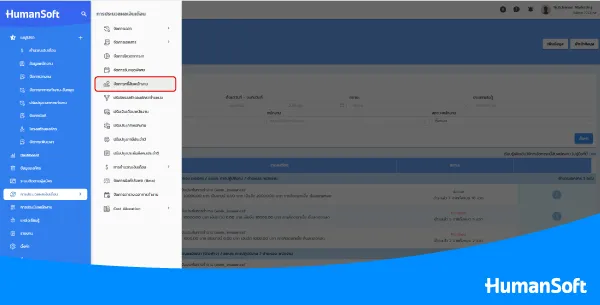
1. Employee Debt Management Menu
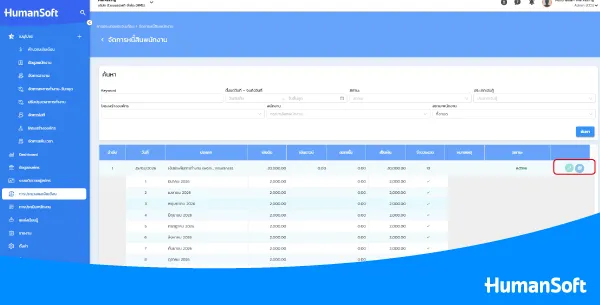
HumanSoft HR software makes it easy to manage employee debt. Start by going to the “Employee Debt Management” This page displays all employee debt records across the organization. To view an individual employee, enter the employee’s name in the search box. The system will display only that employee’s debt records. Then click the link icon to open the employee’s detailed information page, where you can view debt details such as the loan start date, type, principal, interest (if any), number of installments, status, and notes.
2. Adding Information
Employee debt information can be added to HumanSoft HR software in 2 ways:
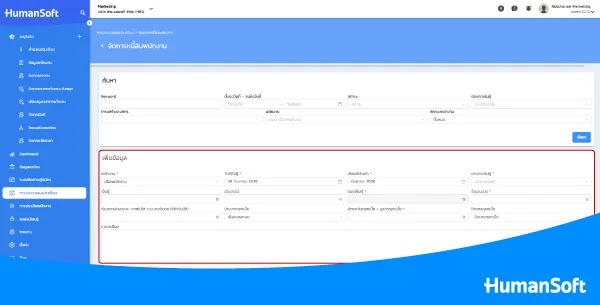
• Add Information
Go to the “Add Information” menu, then select or enter the employee’s loan information and click Save.
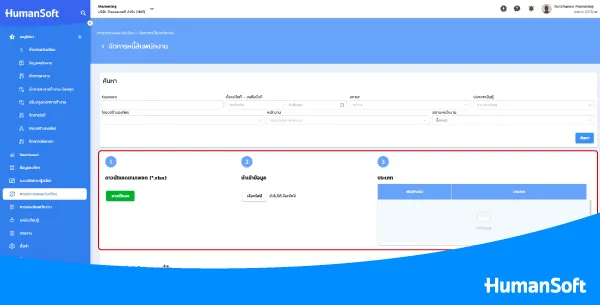
• Import Information
This option is for importing information for employees who already have loan or installment repayment history before starting to use HumanSoft HR software. First, download the template and enter the existing data into the Excel file. Then upload the completed file in Step 2.
After the information has been added to the HR software and some deductions have already been processed, what should you do if the employee’s repayment information needs to be changed?
3. Editing Information
To edit information such as the payment date, principal paid in each installment, or interest charged in each installment, click the “Edit Item”
4. Print Installment Payment Information
For organizations that still require documents for reporting each employee’s installment payment information, the installment payment document can be printed by clicking the “Print”
5. Check Debt Information via the Application
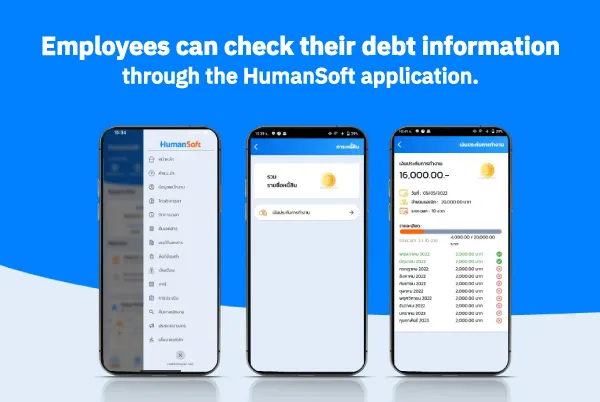
Employees can check their debt information in real time through the Employee Debt Management feature in HumanSoft HR software.
How Does the Employee Debt Management Feature Help HR?
| Function | Key Feature | Benefit for HR |
| Add debt information | Record individual details | Reduce paperwork |
| Import information | Supports existing data files | Reduce data-entry time |
| Set repayment terms | Set installments and interest | Reduce errors |
| Payroll deduction | Integrated with payroll calculation | Reduce work steps |
| Debt reports | View balances and payment history | Easy to review |
*Information as of September 2026
Summary: How Can HR Software Help Manage Employee Debt?
HR software makes employee debt management easier by keeping information in one system. It helps track outstanding balances, calculate payroll deductions, and review repayment history more conveniently, allowing HR to reduce manual work and manage information in a more systematic way.
FAQ: Frequently Asked Questions About HR Software and Employee Debt Management
Q: If an employee has multiple debts, can they be managed at the same time?
A: Yes, depending on the system’s capabilities. It is recommended to choose a system that supports multiple types of debt and can separate the details of each item.
Q: If an employee has fully repaid the debt, should the records be retained?
A: The repayment history should be retained for future review and as supporting evidence for internal data management.
Q: What are the limitations of managing employee debt with Excel?
A: Excel may be suitable for a small amount of data. However, when there are many employees or debt items, tracking information and reviewing historical records can become difficult, while the risk of calculation errors may increase.
Read More Related Articles
