
How to Choose Online HR Software for a Business Without an HR Department
Online HR software for businesses without an HR department brings employee data, attendance tracking, leave management , OT, and payroll into one system. Even without a dedicated HR team, business owners or managers can handle key HR processes through a single platform. Employee Self-Service also allows employees to manage many of their own requests, while a support team is available to assist throughout the use of the system.
Table of Contents:
- How to Choose Online HR Software for a Business Without an HR Department
- Do Businesses Without an HR Department Need Online HR Software?
- What Should Online HR Software for a Business Without an HR Department Include?
- How Is Managing HR with Online HR Software Different from Using Manual Processes?
- How Should Business Owners Choose Online HR Software?
- Why Is HumanSoft Suitable for Businesses Without an HR Department?
- Summary: Which Online HR Software Is Best for Business Owners Without an HR Department?
- FAQ: Frequently Asked Questions About Online HR Software
Do Businesses Without an HR Department Need Online HR Software?
When a business has only a few employees, the owner may be able to manage employee information and payroll independently. However, as the workforce grows, HR-related tasks become increasingly complex, including:
-
Recording employee clock-in and clock-out times
-
Managing work shifts
-
Reviewing leave records
-
Calculating OT
-
Processing payroll
-
Calculating tax and Social Security contributions
-
Issuing payslips
-
Storing employee documents
When this information is stored across different files or scattered in multiple locations, business owners have to spend more time collecting, reviewing, and re-entering data. Online HR software helps centralize HR processes and reduce repetitive monthly administrative work.
What Should Online HR Software for a Business Without an HR Department Include?
1. Employee Data Management
Keep essential employee information such as employment contracts, salary details, job positions, departments, and important documents in one system. This makes it easier for business owners to find and review information without opening multiple files.
2. Automatic Payroll Calculation
A system that calculates and consolidates salary, earnings, deductions, OT, tax, and Social Security data can reduce the need to build formulas and enter information manually.
3. Attendance, Leave, and OT Management
Online HR software should connect attendance, leave, and OT data in one system so business owners do not have to gather information from multiple sources before processing payroll.
4. Employee Self-Service
Businesses without an HR department should pay particular attention to this feature because it allows employees to handle many routine tasks themselves, such as:
-
Submitting leave requests
-
Requesting OT
-
Checking leave balances or records
-
Viewing payslips
-
Reviewing personal information
-
Submitting HR requests or documents
Learn more >>> What Are the Benefits of an HR System with Employee Self-Service?
5. Online Document Submission and Approval
The system should allow supervisors or authorized approvers to review employee requests directly, such as leave, OT, or shift-change requests. This helps distribute HR responsibilities beyond the business owner and reduces approvals handled through chat, paper forms, or multiple channels.
Learn more >>> 5-Step Online Document Approval for Modern Organizations
6. Support Team and Implementation Assistance
For businesses without HR or IT teams, having many features may not be enough. It is also important to check whether the provider offers system setup, data migration, training, and ongoing support when issues arise. These services can make it much easier for business owners to get started.
Learn more >>> Payroll Software Questions? The Support Team Has the Answers
How Is Managing HR with Online HR Software Different from Using Manual Processes?
|
Comparison |
Manual HR Management |
Online HR Software |
|
Employee Data |
Stored manually in paper documents or separate files |
Centralizes scattered employee information in one system |
|
Attendance / Leave / OT |
Recorded, filtered, and reviewed manually |
Connected within the system and ready to use in payroll calculations |
|
Payroll Management |
Time-consuming manual calculations |
Automatically uses connected data for payroll calculations, saving time and improving accuracy |
|
Tax / Social Security |
Calculated manually by the business owner or HR |
Calculates the required amounts and generates P.N.D.1 and SSO 1-10 forms |
|
Data Security |
Higher risk of data loss or leakage |
Employee data is stored with stronger security controls |
How Should Business Owners Choose Online HR Software?
-
Choose Based on the Work You Actually Need to Manage. Start by listing the HR tasks you handle each month, such as payroll, attendance, leave, OT, and documents. Then choose a system that supports those actual workflows.
-
Choose a System That Is Easy to Use. Do not focus only on the number of features. Prioritize a system that is easy to understand, practical for daily use, and does not require overly complicated setup.
-
Check How Pricing Changes as Your Workforce Grows. Estimate the cost at higher employee counts to determine whether the system will remain suitable for your business in the long term.
-
Test Real Workflows Before You Buy. Testing actual workflows helps business owners see how much work the system can genuinely reduce and whether it matches the way the business operates.
Why Is HumanSoft Suitable for Businesses Without an HR Department?
HumanSoft is online HR software that combines HR and Payroll in one system, covering employee data, payroll, tax, Social Security, document requests, attendance, shifts, and Employee Self-Service depending on the selected package.
HumanSoft currently offers Basic, Standard, Advanced, and Professional. Each package provides a different level of functionality, ranging from Payroll and employee data management to the Mobile Application, online documents, approval workflows, shift management, and other HR tools.
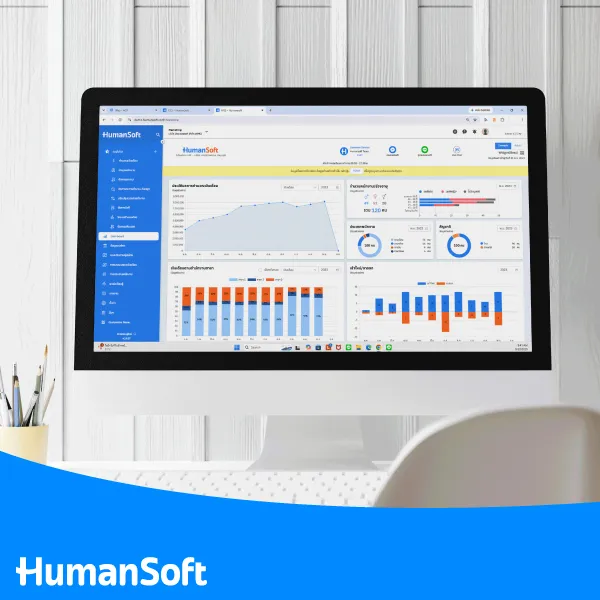
For businesses without an HR team, the best starting point is to identify which tasks the owner needs to handle personally and which tasks should be delegated to employees or supervisors through the system. The business can then choose a package based on its actual workflows and operational needs.
Summary: Which Online HR Software Is Best for Business Owners Without an HR Department?
Online HR software for businesses without an HR department should be easy to use and bring essential tasks—such as employee data, attendance, leave, OT, payroll, and Employee Self-Service—into one system. When business owners begin spending more time collecting data, reviewing attendance, processing payroll, or answering employee questions, online HR software can reduce manual work and create a more scalable HR process as the business grows.
FAQ: Frequently Asked Questions About Online HR Software
What Is Online HR Software?
Online HR software is a human resource management system that helps manage employee data, attendance, leave, OT, payroll, documents, and other HR processes without requiring the software to be installed on a single computer.
Do Business Owners Have to Import Employee Data into the System Themselves?
It depends on the provider and the implementation process. HumanSoft offers free initial system setup. The information typically required includes basic employee data such as personal details, full name, national ID number, employee ID, job position, and base salary. Learn more >>> What Are the Benefits of Free Initial Setup for HR Software?
Do Small Businesses Need Online HR Software?
Online HR software can help small businesses reduce HR administration so owners do not have to handle every task themselves. This allows them to focus more on other priorities, such as marketing and business growth planning.
How Is Online HR Software Different from Accounting Software That Can Calculate Payroll?
Online HR software focuses on end-to-end people management, from employee data, attendance, shifts, leave, OT, and documents to Payroll. Accounting software that includes payroll, on the other hand, primarily focuses on accounting and finance, with payroll calculation offered as an additional feature.
Can I Try Online HR Software Before Purchasing?
Yes. Many providers offer free trial periods so organizations can test the system’s features. HumanSoft offers a 30-day free trial with access to all HRM and HRD features, allowing businesses to experience its core HR capabilities before making a decision. Learn more >>> How Long Is HumanSoft’s Free Trial and What Can It Do?



