
Payroll software for restaurants and cafés helps manage work shifts, attendance, part-time wages, and OT accurately, reducing the risk of missing data when using Excel.
What Is Payroll Software for Restaurants?
Payroll software for restaurants is a system that helps calculate salaries, daily wages, hourly wages, OT attendance bonuses, and employee benefits while integrating attendance records and work schedules directly into payroll calculations. It helps reduce errors from using Excel and eases the workload for restaurant owners and HR teams.
Table of Contents:
Why Should Modern Restaurants Switch to Payroll Software?
Payroll software can reduce the time spent managing shifts and calculating restaurant wages by up to 80%. The system automatically pulls attendance, shift, leave, and overtime data into payroll calculations, helping solve common problems restaurants and cafés face when using Excel, such as missing data, wage calculation errors, difficulty reviewing historical records, and time-consuming data collection from multiple sources.
1. How Can It Manage Complex Work Shifts More Flexibly?
Most restaurant businesses have complex work schedules involving full-time employees, part-time staff, and rotating shifts (morning, afternoon, and night).
- Problems with Excel: Data updates can be slow, and overlapping shifts may occur.
- How payroll software helps: Restaurant managers can plan shifts online in advance, while employees can instantly check their schedules through the application.
2. How Does It Accurately Calculate Part-Time Wages?
Part-time employees often work different numbers of hours each day.
- Problems with Excel: There is a higher risk of errors, especially when rounding minutes or checking late-arrival records.
- How payroll software helps: The system automatically uses actual clock-in and clock-out hours to calculate hourly wages, providing accurate and transparent totals.
3. How Does It Reduce OT Calculation Errors?
Restaurant businesses often require employees to work overtime on holidays or during festive periods.
- Problems with Excel: Holiday pay formulas can be confusing. Accidentally deleting a formula or entering the wrong number can lead to incorrect calculations.
- How payroll software helps: OT calculations become easier. Once employees submit an OT request through the system, the software automatically uses working hours, shift data, and OT documents for the calculation.
Learn more: How to Calculate Overtime (OT) Pay Under Thai Labour Law
4. How Does It Support Multi-Branch Management?
For restaurant businesses with multiple branches, each location may use different payroll or employee benefit policies.
- Problems with Excel: Files must be sent back and forth between branches, causing scattered data and increasing the risk of data loss.
- How payroll software helps: Different conditions for each branch can be configured within a single system, making overall management and review faster and easier. Attendance and payroll data from all branches can also be consolidated into a central cloud system.
5. How Does It Save Time and Reduce HR Workload?
- Problems with Excel: HR teams or restaurant owners may spend hours gathering shift schedules, attendance records, and OT data from different sources.
- How payroll software helps: It connects all related data and automatically calculates net pay, turning tasks that once took days into a process completed in just a few clicks.
What Features Should Good Payroll Software for Restaurants Have?
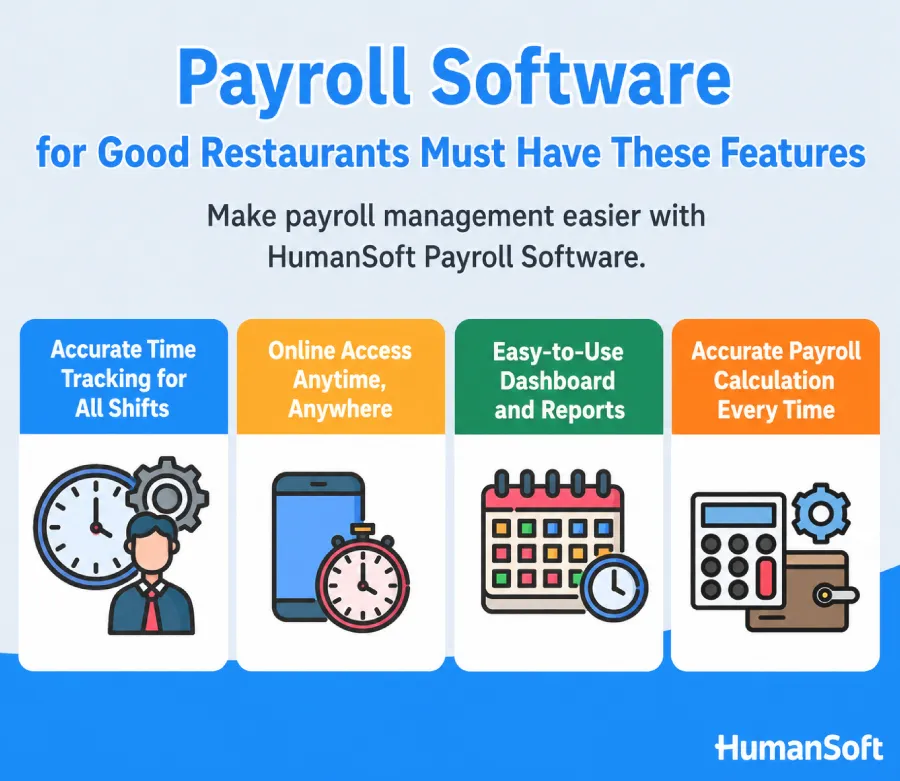
Good payroll software for restaurants should support configurable work shifts, attendance tracking, employee scheduling, and automatic payroll calculations. These features connect all workforce data in one system, reduce paperwork, minimize errors from duplicate data entry, and improve employee management efficiency. Essential payroll software features for restaurants that can replace Excel include:
| Feature | What It Helps With | Best For |
|---|---|---|
| Shift Management | Plan shifts in advance and automatically notify employees | Restaurants with multiple shifts or branches |
| Attendance Tracking | Record clock-in and clock-out times and calculate actual working hours | Hourly and part-time employees |
| Automatic OT Calculation | Calculate OT on regular workdays and holidays in accordance with labour law | Restaurants where employees regularly work OT |
| Online Payslips | Send payslips to employees through the app and reduce paperwork | Businesses of all sizes |
| HR Reports | Summarize labour costs by branch and time period | Owners managing multiple branches |
- Flexible shift configuration: Supports morning, afternoon, and night shifts, as well as part-time employees.
- Accurate online attendance tracking: Prevents data loss and allows real-time attendance monitoring.
- Advance work scheduling: Workforce planning is easier during peak seasons and festivals.
- Automatic payroll calculation: Connects shift, attendance, and OT data and calculates totals instantly.
Summary: Payroll Software for Restaurants and Cafés
Restaurants and cafés often face complex workforce management needs, including work shifts, attendance, OT, different employee types, and multi-branch operations. Traditional Excel-based processes can lead to errors and require significant time to manage large amounts of data. Payroll software therefore becomes an important tool that specifically supports restaurant businesses by combining shift scheduling, attendance tracking, and automatic payroll calculations in one complete system. It helps reduce the workload for restaurant owners and managers and enables faster payroll closing.
FAQ: Frequently Asked Questions About “Payroll Software for Restaurants”
Q: Should restaurants with part-time employees use payroll software?
A: Yes. Part-time employees often work different numbers of hours each month. Payroll software helps calculate their wages more accurately.
Q: How does payroll software help manage work shifts?
A: Payroll software can configure work shifts, schedule employees, and connect work data directly to the payroll system, reducing repetitive work and calculation errors.
Q: Can payroll software calculate overtime for employees?
A: Yes. When employees record their working hours and submit OT requests, once the supervisor or HR approves the documents, payroll software automatically uses the work data and approved documents to calculate overtime (OT).
Q: What types of restaurants is HumanSoft suitable for?
A: HumanSoft is suitable for restaurants of all sizes, from small restaurants and cafés to full-service restaurants and multi-branch restaurant businesses.
Q: Does HumanSoft have features designed for restaurants? What are they?
A: Yes. HumanSoft is payroll software designed to meet the needs of restaurant businesses. It includes features for work shift configuration, shift scheduling, attendance tracking, payroll calculation, and more—all in one system. This helps reduce the workload for business owners and speeds up payroll closing.
Read more related articles



