
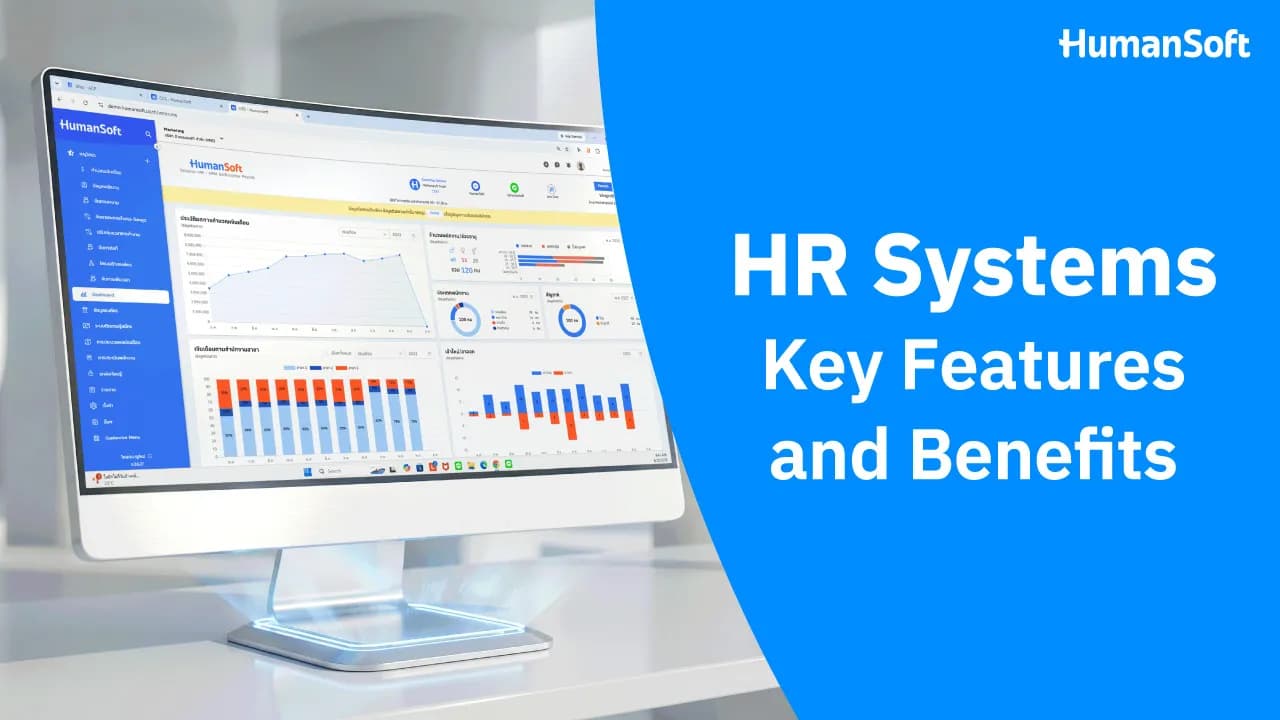
What Is an HR System? Key Features and Benefits
An HR System is a human resource management system that consolidates employee data, time attendance, leave, OT, and payroll, reducing repetitive work and connecting information in one place. For organizations that still use Excel, paper documents, or several separate programs, an HR System helps HR teams, supervisors, and employees work together more conveniently, especially as the workforce grows or working conditions vary across departments and branches.
What Is an HR System?
An HR System or Human Resource Management System is a system for managing an organization’s human resources. It uses technology to support workforce-related processes such as hiring and payroll management training and employee evaluations. An HR System helps organizations manage these processes more efficiently and accurately.
Table of Contents:
- What Is an HR System? Key Features and Benefits
- What Is an HR System?
- How Does an HR System Work?
- What Features Does an HR System Have, and How Does It Help HR?
- Why Should an HR System Be Part of HR Management?
- Using an HR System vs. Not Using an HR System
- How Does an HR System Benefit an Organization?
- Bring Disconnected HR Processes Together With HumanSoft
- Summary: What Is an HR System? Key Features and Benefits
- FAQ: Frequently Asked Questions About HR Systems
How Does an HR System Work?
An HR System stores employee information in a central database and connects data from different HR processes.
A typical workflow is as follows:
-
HR enters employee information, positions, salaries, and working conditions into the system.
-
Employees record attendance, request leave, or submit OT requests through the organization’s designated channels.
-
Supervisors review and approve the relevant requests.
-
The system consolidates working time, leave, and OT data for payroll calculation.
-
HR reviews the calculation results and prepares the required documents or reports.
-
Executives use the data to monitor costs and plan the workforce.
What Features Does an HR System Have, and How Does It Help HR?
1. Employee Data Management
An HR System can consolidate employees’ personal information and employment history in one place, making the information easy to access.
2. Payroll and Benefits Calculation
An HR System helps accurately calculate employee salaries, taxes, Social Security contributions, and benefits, reducing errors caused by manual work.
3. Working Time and Leave Management
An HR System records employee working hours and leave, making it easier for HR to review attendance and calculate OT automatically.
4. Employee Evaluations
An HR System can support employee performance evaluations, including general employee evaluations, KPI evaluations, and probationary employee evaluations, helping organizations evaluate employees fairly and efficiently.
5. Training and Skill Development Management
An HR System helps plan and track employee training so employees can develop the skills required for their roles.
6. Reporting and Data Analysis
An HR System can generate reports to support decision-making, such as leave reports, payroll calculation reports, new hire and resignation reports, time attendance reports, and other reports.
Why Should an HR System Be Part of HR Management?
- Improve efficiency: Reduce repetitive work and errors while accessing information more quickly.
- Reduce costs: Save expenses associated with repetitive work, correcting inaccurate information, and paper use.
- Improve accuracy: Keep information recorded in the system accurate and up to date.
- Make HR services more convenient for employees: Employees can access personal information, leave records, and payroll information themselves through the HR System’s application.
- Support strategic decision-making: HR System data can be analyzed to plan human resources more effectively.
Using an HR System vs. Not Using an HR System
|
Comparison |
Without an HR System |
With an HR System |
|
Payroll Calculation |
Attendance, leave, OT, and deduction data must be combined from multiple files, increasing the risk of calculation errors |
The system connects relevant data and calculates salaries, taxes, and Social Security contributions |
|
Time Attendance |
Data must be collected from scanners, attendance logs, or reports from each branch |
Employees record attendance through GPS, Wi-Fi, or facial recognition, and the system consolidates the data automatically |
|
Employee Data |
Information is scattered across documents or Excel files, making it difficult to find and increasing the risk of using the wrong version |
Employee information is consolidated in one system, where it can be searched, edited, and protected with access permissions |
|
Reporting |
Information from multiple sources must be summarized in Excel |
Reports on employees, leave, OT, and payroll can be viewed in the system |
|
Managing Multiple Branches |
Each branch stores information separately, requiring time to consolidate it before reporting |
Employee and working time information for each branch can be reviewed through a central system |
|
Data Security |
Files may be forwarded to or viewed by unauthorized people, and changes can be difficult to track |
Access permissions can be assigned by role, with data and usage history available for review according to the system’s capabilities |
|
When HR Is Absent or Responsibility Changes |
Work may be disrupted because the information or working method is known by only one responsible person |
Authorized users can access the information and continue the work |
* Information as of August 2026 | Details may vary by software package or version. Check with the provider before making a decision.
How Does an HR System Benefit an Organization?
- Reduce repetitive HR work. HR does not need to enter the same information repeatedly across multiple files or systems.
- Reduce manual errors. An HR System organizes information and performs calculations according to configured conditions.
- Allow employees to access information themselves. Employees can review their own information without asking HR every time.
- Make approvals more convenient for supervisors. This reduces approval wait times and makes it easier to track previous statuses.
- Support organizational growth. As an organization hires more employees, opens new branches, or adds new working arrangements, an HR System manages data and conditions more systematically than adding more Excel files.
Bring Disconnected HR Processes Together With HumanSoft
Many organizations do not lack information; their problem is that the information is stored in different places. Working hours may be stored in a scanner, leave requests in chat messages, and payroll data in Excel. When payroll is due, HR must collect information from multiple sources, check its accuracy, and follow up on documents that have not yet been approved.
HumanSoft connects these processes in one system, covering essential functions such as:
-
Employee data: Store employee information and assign access permissions by role.
-
Time attendance: Support multiple methods, including GPS, Wi-Fi, facial recognition, and QR Codes, depending on the selected package.
-
Leave and OT: Employees submit requests through the system, while the relevant parties review or approve them according to the configured workflow.
-
Payroll and deductions: Connect data to calculate salaries, taxes, Social Security contributions, and related items.
-
Online documents: Reduce paper use and make approval statuses easier to track.
-
Reports: Review workforce, working time, and cost data in one system.
-
Data security: Support role-based access permissions, change logs, and data backups.
Available features may vary by package. Organizations should compare the details based on workforce size and working arrangements.
Summary: What Is an HR System? Key Features and Benefits
HR, or Human Resources, involves managing employees throughout the organization, from recruitment, benefits administration, and payroll calculation to employee development and strategic workforce planning that supports organizational goals. Using an HR System to support these tasks improves HR efficiency, reduces potential errors, and makes professional human resource management more convenient.
FAQ: Frequently Asked Questions About HR Systems
Q: Which Types of Organizations Are HR Systems Suitable For?
A: HR Systems are suitable for organizations of all sizes, from small businesses, startups, and SMEs to enterprises, as well as any organization that wants to reduce its HR workload.
Read more >> Who Is a Free HR System Suitable For, and How Can You Choose One Effectively?
Q: Does an HR System Have an App for Employee Time Attendance?
A: Yes. Applications can support employee clock-in and clock-out through facial recognition, GPS location verification, Wi-Fi attendance, and other methods.
Read more >> Time Attendance Apps: An Essential Tool for Employees and HR
Q: Does an Organization With Only a Few Employees Need an HR System Yet?
A: Yes. Keeping employee and payroll information accurate from the beginning reduces documentation and legal errors. As the organization grows, it can scale systematically without creating problems later.
More Articles You May Be Interested In:



