
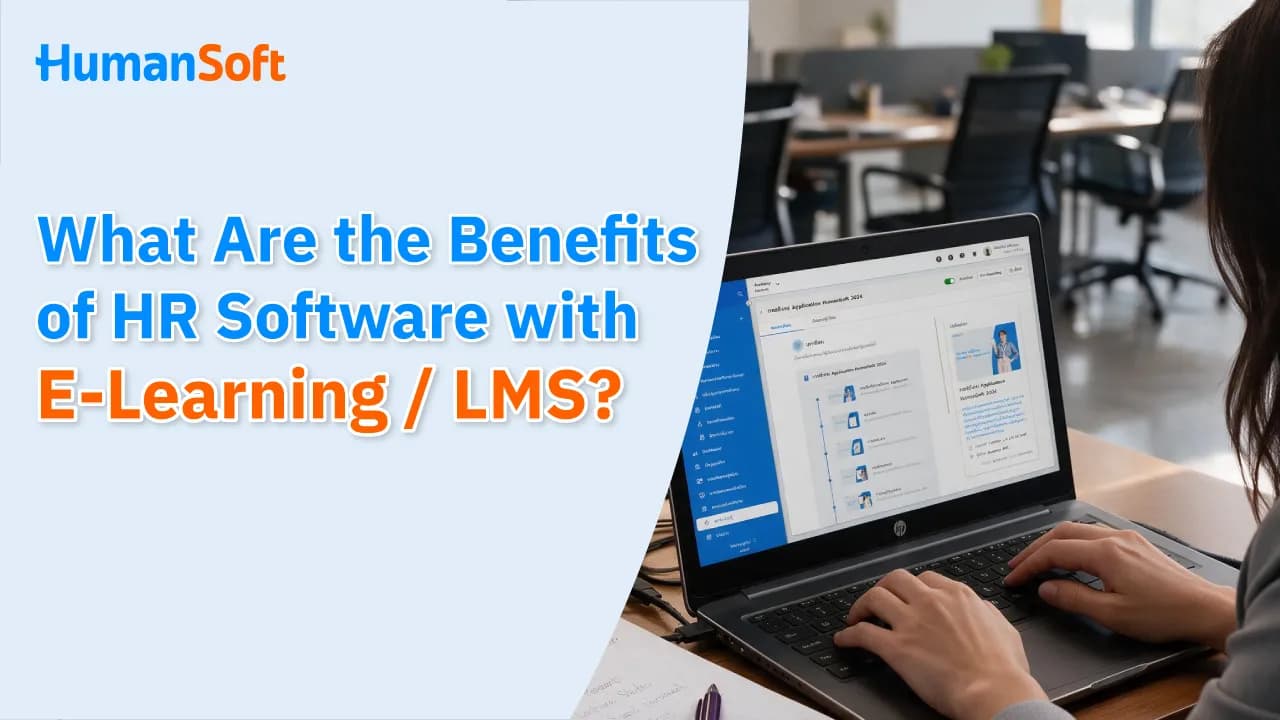
How Does HR Software with E-Learning / LMS Benefit Organizations?
HR software with E-Learning / LMS enables organizations to manage courses, training, assessments, and employee learning records in one system. This reduces repetitive HR tasks and makes workforce development easier to plan.
Table of Contents:
- How Does HR Software with E-Learning / LMS Benefit Organizations?
- What Is an E-Learning / LMS System?
- Why Should Organizations Integrate HR and LMS Systems?
- HR Software with a Built-In LMS vs. Separate Systems
- How to Choose HR Software with E-Learning / LMS for Your Organization
- How Does HumanSoft Support Learning and Training Management?
- Why Should HR Software Include E-Learning / LMS?
- FAQ: Frequently Asked Questions About HR Software with E-Learning / LMS
What Is an E-Learning / LMS System?
E-Learning is learning delivered through an online system. Employees can read content, view learning materials, download documents, or take assessments using computers and other supported devices.
LMS (Learning Management System) is a system that organizes the learning process, from managing content and creating courses to assigning learners, tracking progress, and assessing learning outcomes.
E-Learning is a method of learning, while an LMS is the system used to manage it. When these capabilities are integrated into HR software, organizations can connect learning data with employee information more easily without relying on multiple separate systems.
Why Should Organizations Integrate HR and LMS Systems?
Integrating HR and LMS systems allows organizations to use employee and training data together, reduce duplicate data entry, and track employee development from a single system.
Reduce Duplicate Data Across Multiple Systems
When employee data is stored in HR software but training data is kept on another platform, HR must repeatedly update names, departments, positions, and employment statuses. An integrated system reduces data-entry work and the risk of inconsistencies between data sources.
Assign Learning Based on Employee Data More Easily
HR can plan courses by position, department, or stage of employment, such as onboarding courses, supervisor-specific courses, or knowledge required by individual teams. The level of detail available when defining learner groups depends on each system's capabilities.
Maintain a Continuous Development History
When learning results and training records are stored alongside employee data, HR can review them easily without searching through attendance sheets, emails, or multiple report files. This information also supports more structured individual development plans and annual training plans.
Give Employees Greater Learning Flexibility
Online learning allows employees to access lessons at suitable times, especially in organizations with multiple branches, shift-based operations, or off-site employees. However, organizations should also define clear learning timeframes.
Measure Understanding Beyond Attendance
An attendance list only shows who participated, while assessments help measure understanding after training. HR can then identify topics that need review and employee groups that require additional guidance.
HR Software with a Built-In LMS vs. Separate Systems
|
Category |
HR Software with a Built-In LMS |
Separate HR and LMS Systems |
|
Employee data |
Stored in one database, reducing duplicate entries |
May require system integration or data imports |
|
Implementation |
Users learn one core system |
Multiple platforms must be configured and maintained |
|
Flexibility |
Suitable for organizations that want HR and training in one system |
Allows selection of a more advanced, specialized LMS |
|
Reporting |
Provides a continuous view of employee and training records, if supported |
Reports may be separate and require later consolidation |
|
Cost |
Can reduce the cost of purchasing multiple systems |
May involve additional service and integration maintenance costs |
|
Best suited for |
SMEs or organizations seeking fewer systems and processes |
Organizations with many courses or specialized LMS requirements |
HR software with a built-in LMS suits organizations seeking streamlined processes and centralized data. A separate LMS is better suited to organizations with complex learning models or specialized feature requirements.
How to Choose HR Software with E-Learning / LMS for Your Organization
Define Your Training Goals
First, determine how your organization will use the system, such as for onboarding, mandatory training, skills development, or product knowledge transfer. Clear goals help eliminate unnecessary features.
Assess Learners and Working Arrangements
Consider the number of employees, work locations, work shifts, devices used, and digital readiness. Factory, retail, and office employees may require different learning experiences.
List the Features You “Must Have” and Those That Are “Nice to Have”
Separate essential requirements from preferences. For example, assessment creation and record keeping may be essential, while certificates or advanced learning paths may be optional. This approach makes provider comparisons more focused.
Test a Real Workflow
Test one sample course from start to finish: create content, add learners, conduct an assessment, and open the report. A real-world demonstration reveals limitations more clearly than a feature list.
Review After-Sales Support and Total Costs
Ask about implementation fees, administrator training, additional storage, user fees, system integration costs, and available support channels to evaluate the system's total lifetime cost.
How Does HumanSoft Support Learning and Training Management?
HumanSoft is HR software that combines employee performance evaluation and an online training system (LMS) in one platform. Organizations can use employee development data alongside HR information without storing training records in a separate system. HumanSoft supports the following key functions:
-
Create online learning content and organize employee courses
-
Create assessments with four response types: multiple choice, multiple answers, short answer, and paragraph
-
Record training topics, start and end dates, and actual training hours
-
Record the reporting status submitted to the Department of Skill Development
-
Review individual employee training histories
-
Store evaluation results and training records with employee data in one HR system
These capabilities enable HR to manage online learning and training records continuously. They suit organizations that want to reduce the number of systems they use and gain a centralized view of employee development data.
Why Should HR Software Include E-Learning / LMS?
HR software with E-Learning / LMS helps organizations manage employee and training data in one place, from organizing courses and assessments to tracking results and maintaining learning records. It reduces repetitive HR tasks and makes employee development planning more systematic. Organizations should choose a system that fits their training approach, number of users, and workforce development goals.
Organizations that want to see whether the system fits their training approach can try every feature free for 30 days with no credit card required.
FAQ: Frequently Asked Questions About HR Software with E-Learning / LMS
Q: Do small organizations need an LMS?
A: Not every organization needs one. However, an LMS is useful for regular employee training, multi-branch operations, or tracking learning histories. Organizations with few employees and infrequent training should compare the benefits with the costs before deciding.
Q: Can an LMS be used for onboarding?
A: Yes. An LMS can organize lessons for new employees, including company information, policies, and work procedures, along with post-learning assessments. This makes it easier for HR to track learning progress and results.
Q: How can employees access E-Learning in HumanSoft?
A: Employees can access assigned courses through a web browser or the HumanSoft application. The system displays course content, attachments, assessments, scores, and learning status for each course.
Q: What media and file types does HumanSoft support for E-Learning content?
A: HR can add one MP4 video per content item, as well as text, images, and links. Up to 10 PDF, DOCX, XLSX, and PPTX files can also be attached.
Q: Can HR review and download employee learning results in HumanSoft?
A: Yes. HR can review learning status, scores, and answers, and download reports as Excel files.
Read More Related Articles



