
How Are the HumanSoft and HumanSoft for HR Apps Different?
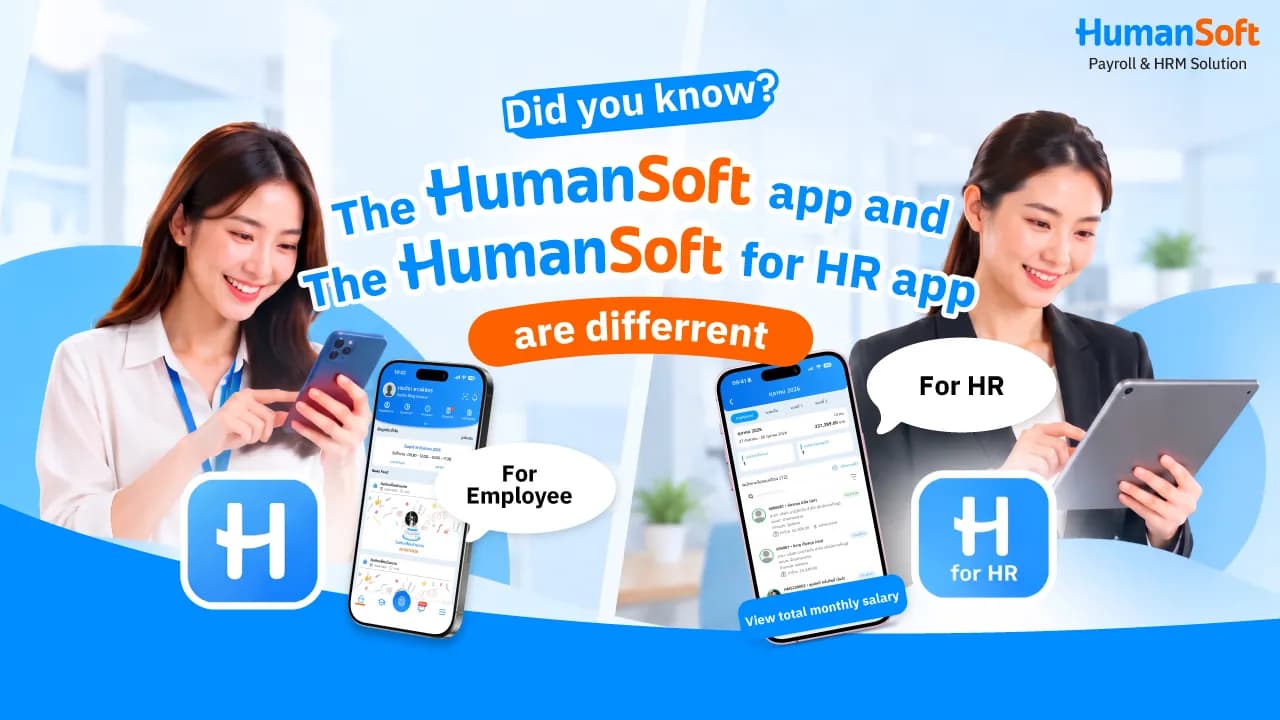
The HumanSoft app is designed for employees to clock in, submit documents, and view their own payslips. HumanSoft for HR is designed for HR teams, payroll staff, and system administrators to review information, approve documents, and process payroll for the entire organization. The clearest difference is that one app manages the user’s own information, while the other manages information for all employees.
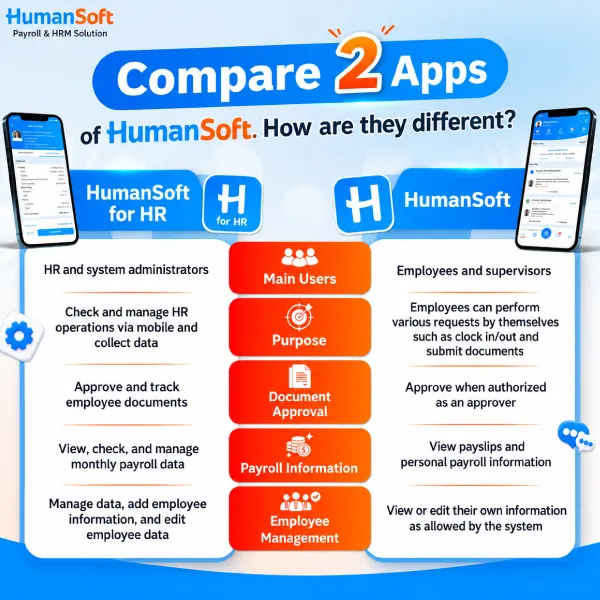
Table of Contents:
- How Are the HumanSoft and HumanSoft for HR Apps Different?
- What Is the HumanSoft App?
- What Is the HumanSoft for HR App?
- What Can the HumanSoft and HumanSoft for HR Apps Do?
- How Are HumanSoft for HR and HumanSoft Different?
- Where Can You Download HumanSoft for HR and HumanSoft?
- Summary: How Is HumanSoft for HR Different from HumanSoft?
- FAQ: About HumanSoft for HR and HumanSoft
What Is the HumanSoft App?
The HumanSoft app is an employee application that allows employees to record attendance, submit documents and review their own work information on a mobile phone.
What Is the HumanSoft for HR App?
HumanSoft for HR is an application for HR staff and system administrators. It enables them to review work status, manage attendance data, approve documents, process payroll and monitor employee information from a mobile phone.
What Can the HumanSoft and HumanSoft for HR Apps Do?
HumanSoft is the employee app, while HumanSoft for HR is the app for HR and payroll staff. Both apps connect to the organization’s HumanSoft system but are designed for different roles. The HumanSoft and HumanSoft for HR apps are available with these packages: STANDARD, ADVANCED and PROFESSIONAL
What Can Employees Do with the HumanSoft App?
Employees can use the HumanSoft app to:
-
Clock in and out
-
Review attendance history
-
Submit leave requests
-
Request overtime (OT)
-
Request a shift change or manage documents specified by the company
-
Review work schedules and assigned shifts
-
Review payslips
-
Review entitlements and employee benefits
-
Take courses or assessments through E-Learning
-
Track the status of submitted documents
-
Approve documents when assigned approval permissions
Tips: Learn More >>> What Can Employees Do with the HumanSoft App?
What Can HR Do with the HumanSoft for HR App?
Key HumanSoft for HR features include:
-
Review employee attendance status
-
Review employee clock-in and clock-out data
-
Issue certificates and internal letters for employees
-
Review and approve documents submitted by employees
-
Manage employee social security and tax information
-
Review payroll-related information
-
Calculate and review payroll results according to assigned permissions
The redesigned HumanSoft for HR app uses approved attendance, leave, and OT data in payroll calculations. HR can review individual results and manage payroll more conveniently from a mobile phone or tablet.
Tips: Learn More >>> Redesigned HumanSoft for HR Supports Payroll Processing in the App
How Are HumanSoft for HR and HumanSoft Different?
| Comparison Point | App HumanSoft for HR | App HumanSoft |
| Primary Users | HR staff and system administrators | Employees and approvers |
| Purpose | Review and manage HR tasks via mobile phone and tablet | Allow employees to complete tasks themselves, such as recording attendance and submitting documents |
| Document Approval | Approve and track employee documents | Approve documents when assigned approval permissions |
| Payroll Information | Calculate payroll and review and manage payroll tasks | View personal payslips |
| Employee Management | Manage employee data and add or edit employee information | Review or edit personal information according to available permissions |
*Information as of September 2026
Where Can You Download HumanSoft for HR and HumanSoft?
Both apps are available to download free from the App Store and Google Play. Search for the following app names:
For HR: Search for HumanSoft for HR
HR users can find the app by searching for “HumanSoft for HR” or by using the following links:
-
HumanSoft for HR · iOS : https://apps.apple.com/th/app/humansoft-for-hr/id1666156474
-
HumanSoft for HR · Android : https://play.google.com/store/apps/details?id=co.th.humansoft.app.hr
For Employees: Search for HumanSoft
Employees can find the app by searching for “HumanSoft” or by using the following links:
-
HumanSoft · iOS : https://apps.apple.com/th/app/humansoft/id1533922283
-
HumanSoft · Android : https://play.google.com/store/apps/details?id=th.co.humansoft.app
Summary: How Is HumanSoft for HR Different from HumanSoft?
HumanSoft for HR is designed for HR staff and system administrators to review, manage, and approve employee tasks. HumanSoft is designed for employees and supervisors acting as approvers to record attendance, submit documents, view payslips, and approve items according to their permissions.
FAQ: About HumanSoft for HR and HumanSoft
Q: Will attendance data be lost if the HumanSoft app is deleted?
A: Data successfully submitted to the system will not be lost when the app is deleted. After reinstalling the app and signing in to the same account, the system will display information according to the user’s permissions.
Q: What should HR do if they forget their HumanSoft for HR password?
A: Select “Forgot Password.” The system will send a password reset link to the registered and authorized email address.
Q: Can employees edit personal information in the HumanSoft app?
A: Yes. Employees can edit basic information, personal details, and other data that HR has permitted them to update.
Q: Which operating systems does HumanSoft for HR support?
A: It supports Android 7.0 or later and iOS 13.0 or later. The app may not operate reliably on older operating systems.
Q: What should you do with your HumanSoft account if your phone is lost?
A: Notify HR or the system administrator immediately so they can review the account, change the password, or manage access permissions according to company security policy.
Read More Related Articles
