
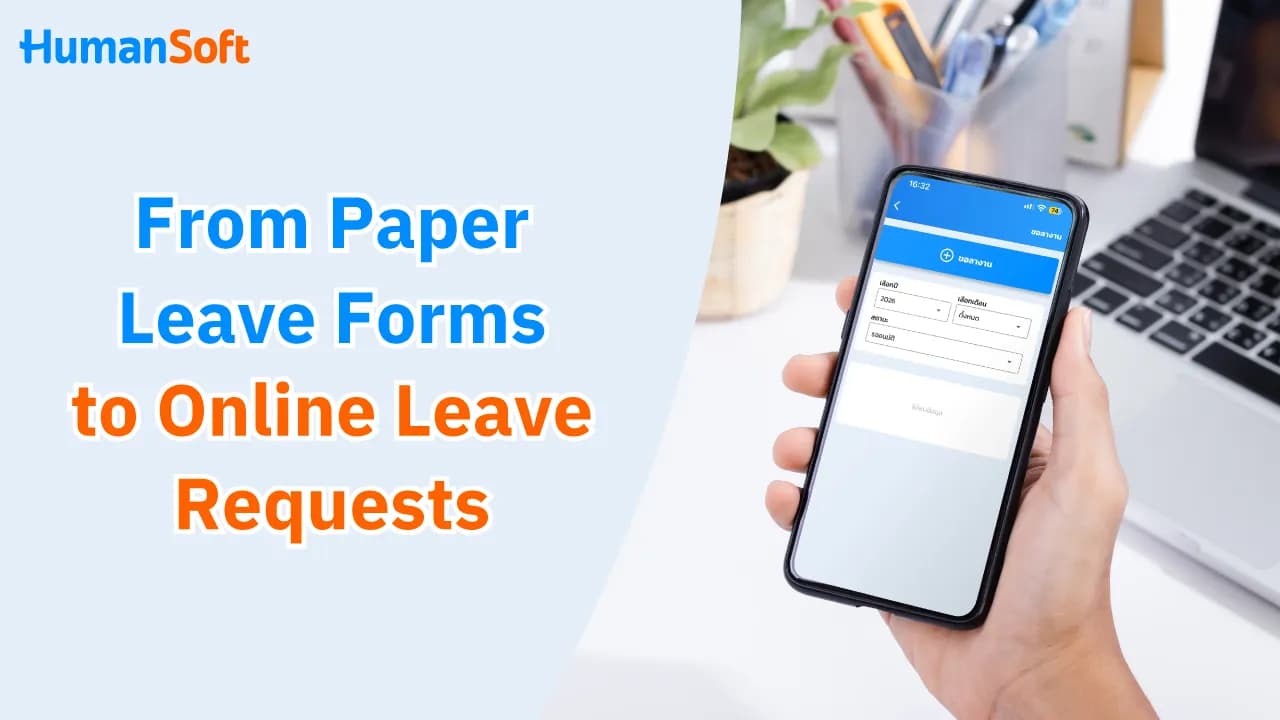
Stop Using Paper Leave Forms: How to Start Using an Online Leave System
You can switch from paper leave forms to an online leave system in 5 steps: gather your leave policies, prepare remaining leave balances, set up approval workflows, run a pilot with a small team, and announce the official launch date. An online leave system is a system that lets employees submit leave requests, managers approve them, and HR check leave entitlements in one place via mobile. Once approved, leave data can be used immediately in payroll calculations.
Many companies still submit leave requests usingpaper leave forms or ask employees to post leave requests in LINE groups. This may work while the team is small, but when payroll closing arrives, HR has to collect leave forms, compare chat messages, and manually calculate each employee’s remaining leave. Moving to an online leave app makes it easier for employees to submit leave and helps HR close payroll faster and more accurately.
Table of Contents:
- Stop Using Paper Leave Forms: How to Start Using an Online Leave System
- What Problems Do LINE Leave Requests and Paper Forms Cause During Payroll Closing?
- How Do You Move to an Online Leave System?
- How Does an Online Leave System Work for Mobile Leave Requests and Approvals?
- How Does HumanSoft’s Online Leave App Help HR and Managers?
- Summary: How to Stop Using Paper Leave Forms and Start an Online Leave System
- FAQ: Frequently Asked Questions About Online Leave Systems
What Problems Do LINE Leave Requests and Paper Forms Cause During Payroll Closing?
The main problem is that leave information is scattered across different places and approval status is unclear. HR therefore has to gather everything manually before every payroll calculation.
| Problem | Leave Requests in LINE Groups | paper leave forms | Impact on Payroll Closing |
|---|---|---|---|
| Missing Information | Leave messages get buried in chat and may never be recorded. | Leave forms may sit on a manager’s desk or get lost. | Leave dayswithout pay may not be deducted correctly, or may be deducted from the wrong employee. |
| Unclear Approval Status | A manager may read the message or send a sticker, leaving it unclear whether the request has been approved. | The form may wait several days for a signature. | HR has to follow up with managers before payroll closes. |
| Remaining Leave Balance | Employees cannot see their remaining leave balance. | HR calculates the balance manually and records it in Excel. | Employees may exceed their entitlement without realizing it, requiring payroll corrections later. |
| Half-Day / Hourly Leave | Requests may be vague, such as “I’d like to take the afternoon off.” | The paper form may not have suitable fields. | Leave hours and wages may be calculated incorrectly. |
| Health Information | Illness details and medical certificates may be visible to everyone in the group. | Medical certificates may be stored in files that anyone can access. | Risk of violating PDPA because health information is sensitive personal data under Section 26. |
| Historical Records | Messages may be deleted or employees may leave the group. | Paper records can be damaged and difficult to find. | Records may be unavailable when wage disputes arise. |
How Do You Move to an Online Leave System?
Start by collecting all current leave rules, then configure the system and test it with one group at a time. Follow these 5 steps:
1. Gather All Leave Policies
- List every leave type used by the company, such as sick leave personal leave and annual leave, maternity leave together with the number of days available for each type.
- Document existing conditions, such as how many days in advance annual leave must be requested, and whether sick leave of 3 working days or more requires amedical certificate (the Labour Protection Act, Section 32, allows employers to request one).
- Check whetherleave entitlementsdiffer by length of service, position, or employee type.
2. Prepare Employee Data and Remaining Leave Balances
Verify employee names, start dates, leave already used, and each person’s remaining balance against existing records. Then set a clear cut-off date for the balance transfer.
3. Configure the System and Approval Workflow
Set leave types, individual entitlements, and approvers at each level. Also define who can approve on behalf of an absent manager so requests do not get stuck.
4. Run a Pilot with a Small Group of Employees
Test leave submission, approval, document attachments, edits, and cancellations to identify issues before rolling the system out across the organization.
5. Announce the Official Launch Date
Clearly communicate the channel, process, and date when paper leave forms will stop being used. Provide a short guide and an HR contact channel for employees who encounter problems.
How Does an Online Leave System Work for Mobile Leave Requests and Approvals?
Employees submit leave requests from a mobile app, managers receive notifications and approve them on their phones, and approved leave days are automatically used in payroll calculations. The entire process is completed on mobile without paper.
| Step | Who | What They Do on Mobile |
|---|---|---|
| 1. Submit Leave Request | Employee | Select the leave type, date, half-day or full-day option, enter a reason, attach a photo of a medical certificate if available, and submit. Employees can check their leave entitlement and leave already used before submitting. |
| 2. Notification | Manager | Receive a mobile notification without waiting for a paper form or searching through chat messages. |
| 3. Approval | Manager / Next-Level Approver | Open the request details and approve or reject it. If multiple approval levels are configured, the request is automatically forwarded to the next approver. |
| 4. Track Status | Employee | See whether the request is pending, approved, or rejected. The used leave balance is updated after approval. |
| 5. Close Payroll | HR | Review leave and attendance across the organization, thencalculate payroll through the appimmediately using approved leave data. |
How Does HumanSoft’s Online Leave App Help HR and Managers?
HumanSoft helps manage leave requests and document approvals through a Mobile Application , with the leave types and conditions shown to employees based on the organization’s settings.
- Approve Leave Requests Anywhere Managers can approve immediately so requests do not remain pending past the leave date.
- See Team Leave in One Place HR can check leave and attendance status in real time without collecting information from multiple channels.
- Close Payroll from Mobile Approved leave days are automatically sent topayroll calculationso HR does not need to re-enter leave data.
- Works for All Employee Groups Employees can submit leave through theemployee app orrequest leave through LINE while managers receive the request and approve it immediately from their phones.
Learn more >>> How Can an HR Mobile App Manage Online Documents for Employees?
Summary: How to Stop Using Paper Leave Forms and Start an Online Leave System
You can start using an online leave system in 5 steps: (1) gather leave policies, (2) prepare remaining leave balances, (3) set up approval workflows andbackup approvers , (4) pilot the system with a small team, and (5) announce the launch date together with the date paper forms will stop being used. When connected with attendance and payroll, employees can submit leave and view their remaining balance themselves, managers can approve from mobile, and HR can close payroll without collecting forms or re-entering data.
FAQ: Frequently Asked Questions About Online Leave Systems
Q: If an Online Leave System Is Introduced Mid-Year, Can Remaining Leave Balances Be Carried Over?
A: Yes. HR should summarize the leave each employee has already used during the year from previous records, then set the system entitlement equal to the remaining balance (annual entitlement minus leave already used). Employees should review their balances before the system officially goes live.
Q: How Should Employees Report Leave During an Internet Outage?
A: Use the company’s backup channel, such as calling the manager, sending an email, or notifying HR, then enter the request into the system later when it is available again.
Q: Can Employees Who Are Resigning Still Submit Leave Requests Online?
A: Yes, employees may request leave based on their remaining entitlement before their final working date, subject to company policy. HR should verify the remaining balance before approval because it affects the final payroll calculation.
Q: Can an Online Leave Request Be Used as Evidence Instead of a Paper Form?
A: Yes. Section 7 of the Electronic Transactions Act B.E. 2544 (2001) states that the legal effect of a message cannot be denied solely because it is in electronic form. A system that records the requester, approver, and timestamps is also easier to audit than paper records.
Q: How Can Employees Without Smartphones Submit Leave Requests?
A: The company can allow a manager or HR to record leave on the employee’s behalf so all leave data stays in one system and is processed consistently in payroll.
Q: Can Sudden Sick Leave Be Submitted Retroactively?
A: Yes, if the company allows retroactive requests. A clear time limit should be set, such as within 3 days after returning to work, and the request should be submitted before the payroll cut-off to avoid retroactive payroll corrections.
Q: Can an Approved Leave Request Be Edited or Canceled?
A: An approved leave request cannot be edited directly. The original request should be deleted and a corrected request submitted for approval again. This should be done before payroll closes because requests from a closed payroll period cannot be approved.
Q: How Long Does It Take to Move the Entire Organization from Paper Leave Forms to an Online System?
A: It depends on the number of employees and the complexity of the leave policies. It is recommended to pilot the system with a small team for at least one full payroll cycle, from leave submission through payroll closing, before expanding across the organization.
Q: Who Should Be Able to View Medical Certificates Attached to the System?
A: Only relevant approvers and HR personnel should be able to view them because health information is sensitive personal data under PDPA Section 26. Employees should also be informed of the purpose for collecting the data under the company’s privacy policy.
Q: Can a Company Require All Leave Requests to Be Submitted Only Through the System?
A: Yes. The company can specify the leave channel and process in its work regulations or company announcement, but the new process must not reduce employees’ statutory leave rights.
References
- Labour Protection Act B.E. 2541 (1998), Section 32 (Sick Leave and Medical Certificates)
- Personal Data Protection Act B.E. 2562 (2019) Section 26 (Health Information as Sensitive Personal Data)
- Electronic Transactions Act B.E. 2544 (2001), Section 7 (Legal Effect of Electronic Data)
Read More Related Articles
- New HumanSoft for HR: Calculate Payroll Through the App
- What Are the Benefits of an HR System with Employee Self Service?
- Q&A: Must Personal Leave Be Approved Before an Employee Can Take It?
- Which Online Leave System Can Calculate Leave Entitlements by Length of Service?
- What Is an ESS App? Easy for Employees to Use Without HR Training
